Context & memory·terminal · desktop·MIT
cache-keeper
Prompt-cache timer, keep-warm pings, cold-send guard, a board of chats and a handoff.
cache-keeper is a Claude Code mod that shows how long a chat’s prompt cache stays warm and what your next message costs once it goes cold. It keeps a big chat warm on request, asks before a costly cold send, lists every local chat on one board and hands a bloated chat off to a fresh one.
At a glance
- Commands:
/cache,/keepwarm,/boardand/handoff, plus a line above the prompt. - Where it shows: the full line and its buttons in the terminal. In the Desktop app’s Code tab, a short footer label and the slash commands.
- Tokens and network: no network calls of its own. Only keep warm spends anything: small model requests, about 8 cents each on a 400k-token Opus 5.5 chat.
- Who it’s for: anyone whose chats grow past the mod’s 150k-token “big” mark and then sit idle, whether they pay per token or watch a subscription’s limits.
Why a cold cache costs money
Each request re-reads the whole chat, cheaply from the prompt cache. Once the cache expires, the next message writes the whole chat into it again, at 1.25 times the input price on the 5-minute cache or twice the input price on the 1-hour one. By the mod’s own price table, that is $2 to $3.20 on a 400k-token Opus 5.5 chat, against 8 cents to read it from the cache. On a subscription, all of this counts against your limits instead of a bill.
What it does
- Line above the prompt. Cache state with minutes left, context size, the price of a rewrite, your 5-hour, weekly and spend limits (yellow at 80%, red at 95%), the session’s cost and any cold restarts so far. It turns yellow 5 minutes before expiry, and on a big chat a
keep warmbutton appears (hotkey1). /keepwarm [hours|off]. Sends a tiny request shortly before the cache would expire, so the cache is read instead of rewritten. Four hours by default, 24 at most. It switches itself off at the time limit, when a ping writes to the cache instead of reading it, or when a ping gets no answer.- Cold-send guard. When you send into a chat over 150k tokens whose cache has expired, it names the price and asks: Send anyway, Compact first, then send, or Cancel.
/board. A pane with every local chat: the ones waiting on you first, then working ones, then the ones whose cache cools soonest. Each row shows state, context, cache, cost and running agents. Big chats get a keep-warm button that also works on another chat, within 30 seconds. Toasts tell you when another chat starts waiting on a permission or a question, and when any big chat is 5 minutes from going cold./handoff. Runs the bundledsession-handoffskill, saves the result to a file, then offers to/clearthe chat and send the handoff as the first prompt of the fresh context. The line above the prompt carries both steps as buttons (handcwhile it has focus), and/handoff continueruns the second one later./cache. Status and settings:ttl 5|60|auto,guard on|off,big 150k(the size that counts as big),alerts on|off.
Install
Needs Claude Code 2.1.287 or later.
claude plugin marketplace add nateherkai/claude-code-mods
claude plugin install cache-keeper@nateherk-mods
Open a new chat afterwards: the mod loads when a chat starts, and /reload-plugins does not reload it. The line above the prompt appears after the chat’s first request.
Set the cache window first
Per Claude Code’s prompt caching docs, the main conversation gets the 1-hour cache on a Claude subscription within your plan’s usage, and the 5-minute one on an API key, a cloud provider, or once you draw on usage credits. cache-keeper assumes the hour until a request proves otherwise. In the 5-minute cases, run /cache ttl 5 once; the setting is saved for later chats.
Without it, the timer counts down from 60 minutes and the guard stays quiet on the first cold send. The mod corrects itself after that: a rewrite after 5 to 60 idle minutes switches it to the 5-minute cache. If you set promptCacheTtl to 1h yourself, leave the mod on auto.
How it works
Every main-loop request reports how many tokens it read from the cache and how many it wrote. From that the mod tracks the context size, counts cold restarts and works out which cache the chat runs on. Context, cost and plan limits come from the engine’s own session usage. The tool hooks read only the tool’s name, to show what a chat is running and whether it is waiting on you, and your first typed prompt, cut to 40 characters, names the chat on the board.
Every 30 seconds each chat writes a heartbeat (name, folder, model, state, context, cache, cost, agents) to the mod’s local store, and heartbeats silent for an hour are deleted. Handoffs are saved under ~/.claude/mods-data/cache-keeper/handoffs/. The mod makes no network calls of its own; the keep-warm pings are model requests, sent only while keep warm is on.
Each ping forks the conversation, reads the whole context from the cache and gets “ok” back. On the 1-hour cache it pings about 8 minutes before expiry, so the default four hours cost well under a dollar. On the 5-minute cache it pings 90 seconds before expiry, roughly every three and a half minutes, and after about an hour and a half the pings have cost more than the $2 rewrite they avoid. There, a short window such as /keepwarm 1 makes more sense than the default.
With recording-mode on, chat names on the board and in the toasts are masked, and its strict mode hides the dollar figures.
Compared with other cache mods
Several mods now handle the same moment:
- cache-tax drops a cold send once with its price and keeps the cache warm for a window you set, without a board or a handoff.
- Cache Bell keeps the cache warm while you’re away and compacts at a size you choose, asking you first.
- idle-compact compacts an idle chat once at minute 50, before the 1-hour cache expires: a short summary instead of the full context.
- cache-keepalive keeps the cache warm only while background tasks run, and caps what the pings cost.
Claude Code itself can also compact a long chat left idle in the terminal on the 1-hour cache, shortly before it expires; the idleCompaction setting turns that off (Claude Code 2.1.290 or later). cache-keeper is the one that adds a board of every chat and a handoff to a fresh one.
What people say
- Nate Herk demonstrated it in his video Claude Code Mods Are Game Changers. Set Up These 5 NOW. OpenClaw Database’s summary describes a 109k-token chat with its plan limits and API-price cost, a cache countdown from 60 minutes, and the handoff button cutting copy, clear and paste down to two clicks.
- The same summary warns that the 60-minute countdown may not match your account, since the API’s default cache lasts 5 minutes. That is what
/cache ttl 5fixes. - No issue about cache-keeper has been filed on the repo so far; the two open ones concern recording-mode and goal-meter.
Limitations
- The line above the prompt and its buttons draw only in the terminal. In the Desktop app’s Code tab, which the author lists as supported, a short footer label carries the cold-cache warning, high plan limits and a ready handoff; use
/keepwarmand/handoffthere. - Prices are API list prices written into the mod, dated 2026-09-25 in the code. A model missing from that table is priced as Opus 5.5.
/clear,/resumeand/branchreset the cache state and turn keep warm off.- The board lists only chats on this machine that loaded the mod.
Similar Claude Mods

auto-handoff
Writes a handoff doc after 50 idle minutes, while the prompt cache is still warm.
idle-compact
Compacts an idle session once at minute 50, before the 1-hour prompt cache expires.
context-bar
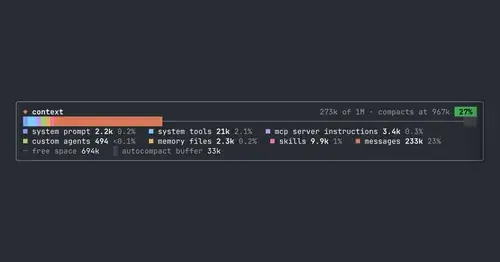
Your context window as one stacked bar above the prompt, a color per category.
compact-handoff
Like /compact, but the conversation becomes your validated /handoff and work carries on.
Popular Claude Mods
The whole directory →pin-memo
Notes and clickable todos pinned above the prompt, back when you resume the session.
plan-progress
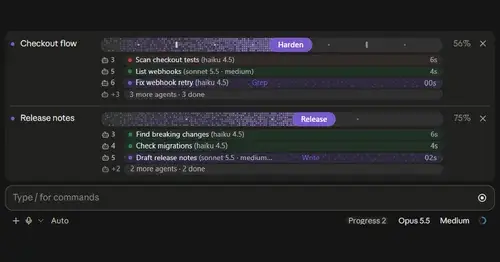
Claude's plan as live progress bars above the prompt, with subagents under each task.
next-steps
Up to six suggested next steps after each reply. Tick some and Haiku writes the prompt.
cc-image-view
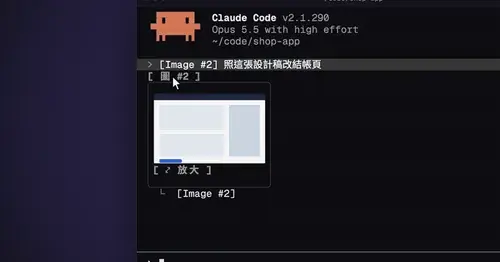
Thumbnails of pasted images above the prompt and under sent prompts, with a zoom pane.