cc-arcade
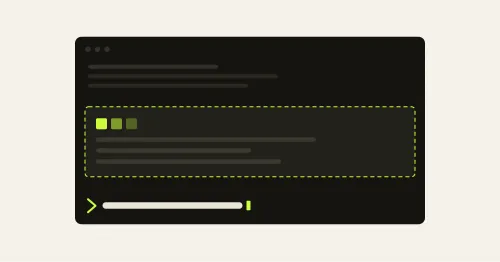
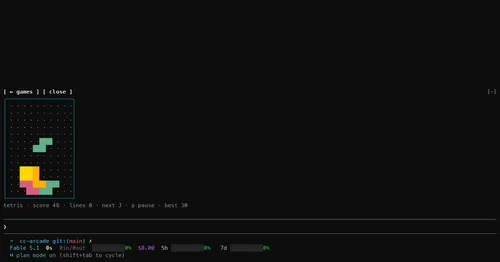
Nine games and a pet above the prompt, playable while Claude works. Zero tokens.
claude plugin install cc-arcade@cc-arcadeUnofficial directory·Early access
Claude Mods are plugins that run TypeScript inside Claude Code itself. They can draw above your prompt, open panels beside the transcript, block or rewrite tool calls, and keep secrets out of the model's context. This is where to find them, and how to install each one in two commands.
Nine games and a pet above the prompt, playable while Claude works. Zero tokens.
claude plugin install cc-arcade@cc-arcadeEvery subagent of the session in a live tree beside the transcript. Zero tokens.
claude plugin install agent-flow@claude-agent-flowBlocks rm -rf, force pushes, DROP TABLE, curl | sh and cat .env before they run.
claude --plugin-dir ./anchorwatch/plugins/anchorwatch-modAutonomous sprint loop: brainstorm, auto, iterate, audit, review, ship. Redacts secrets.
claude plugin install autodev-core@autodevOpenTelemetry traces of every hook dispatch, and each tool call's duration on its row.
claude --plugin-dir node_modules/autotel-claude-codeModel judges over subagent dispatches, defined in TOML. Plus your own prompt rules.
claude plugin install catalyst-probes@catalystThe unofficial Claude Code changelog in a pane, plus nine tools the model can call.
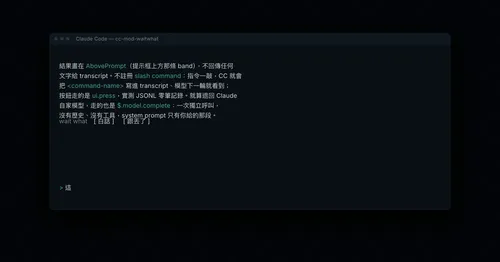
claude --plugin-dir ./cc-changelog-pluginButtons above the prompt retell the last reply in plain words. The model never sees it.
claude plugin install cc-mod-waitwhat@cc-mod-waitwhatCreatures spawn from your prompts. Catch them and raise a partner as Claude works.
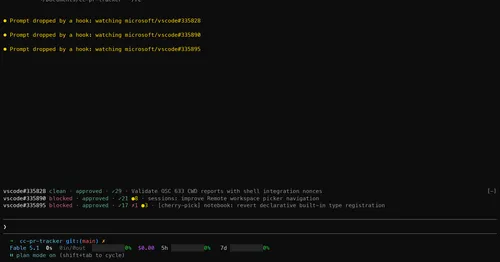
claude plugin install cc-pokedex@cc-pokedexMerge state, review and checks of your PRs on one line above the prompt, with alerts.
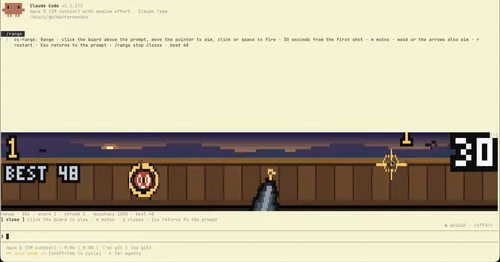
claude plugin install cc-pr-tracker@cc-pr-trackerA pixel-art shooting gallery above the prompt, playable while Claude works. Zero tokens.
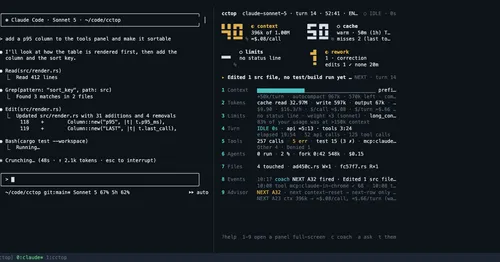
claude --plugin-dir ./cc-rangeContext, cost, rate limits and tool stats of the session, live in a side pane.
claude plugin install cctop@cctopCodex and Antigravity as detached lanes, driven with 21 tools from the session.
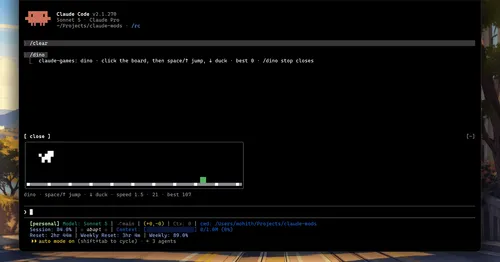
cdx doctor --probeFour games above the prompt that react to Claude's tests and commits. Zero tokens.
claude plugin install claude-games@claude-gamesEvery mermaid block Claude writes, drawn as color box art in the transcript. Zero tokens.
claude plugin install claude-mermaid@claude-modsPrompts typed with /q wait in a stack above the prompt and go out when the turn ends.
claude plugin install claude-queue@claude-queue-pluginAn ASCII slot machine instead of the spinner. Reels spin while Claude works, zero tokens.
claude plugin install claude-slots@claude-slots-localYour notes as a wiki Claude maintains: ingest papers, ask questions, keep it healthy.
claude --plugin-dir /path/to/commonplaceWindow fill, growth per turn and turns left before compaction, pinned under the prompt.
claude plugin install context-lens@claude-modsA rotate button above the prompt once context passes 40%. Needs the cs session manager.
bash -c "$(curl -fsSL https://raw.githubusercontent.com/hex/claude-sessions/main/install.sh)"A timestamp above each of your messages, showing when you sent it. Zero tokens.
claude plugin install time@claude-function-hooksYour repo's GitHub Actions runs pinned above the prompt, with links and toasts.
claude plugin install gh-ci-status@claude-function-hooksName, kind and status of every Herdr agent above the prompt, refreshed every 2 seconds.
claude plugin install herdr-hud@herdr-hudRedacts secrets and PII from tool output and prompts, blocks reads of key files.
claude --plugin-dir ./honmoon/packages/claude-pluginAsk about the session so far in a read-only side pane. Nothing reaches the main thread.
claude plugin install aside@asideTask tools backed by a Kindex store in your repo, plus repo memory on every prompt.
kin setup-hooks --mode modernEvery message kept in SQLite, old context compacted into summaries Claude can expand.
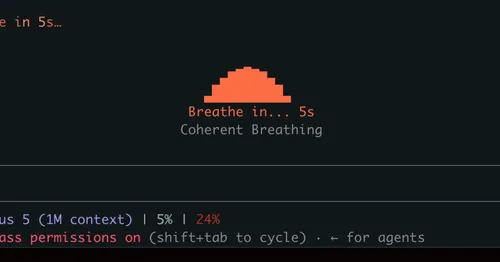
lcm installGuided breathing above the prompt while Claude works. Four techniques, zero tokens.
claude plugin install mindful-claude@mindful-claude5-hour and 7-day plan limits with a reset countdown and a projection of when they fill.
claude plugin install quota-meter@claude-modsSwaps secrets, emails and IPs for placeholders before the model sees them.
claude plugin install secret-redactor@awesome-claude-code-function-hooksLong-term memory by kind and scope in one SQLite file. Wake at start, recall per prompt.
claude plugin install segmem@segmemA 260K-parameter transformer inside the mod writes a story about what Claude is doing.
claude plugin install storytime@cc-storytimeContext, spend and branch above the prompt, plus a browser board of every session.
just installSession cost, last turn's tokens and cache hit ratio under the prompt, table in a pane.
claude plugin install token-ledger@claude-modsYour Vercel deploy queue above the prompt: phase, branch and elapsed time, zero tokens.
claude plugin install vercel-deploy-status@awesome-claude-code-function-hooksNo mods in this category yet.
A Claude Mod is a Claude Code plugin whose behavior lives in a hooks module: a TypeScript file that Claude Code loads into its own process. The module registers functions on the engine's events, such as a tool call, a turn finishing, or a component being drawn. Each function can act before the event, after it, instead of it, or change it on the way through. Anthropic calls the mechanism function hooks. The product name, announced on September 9, 2026, is Claude Mods.
This is not the same as the shell hooks Claude Code has had for a while. A shell hook is a separate process that reads JSON and answers with an exit code. A mod runs in-process, with typed events, in a fixed order, and it can draw.
Function hooks ship inside Claude Code 2.1.260 and later behind an environment variable, and nothing draws above the prompt before 2.1.269. The API can change between releases. Anthropic has said it plans to ship the feature officially within weeks. Every listing here names the Claude Code version its author tested with.
"env": { "CLAUDE_CODE_ENABLE_FUNCTION_HOOKS": "1" } to ~/.claude/settings.json.claude, or run /reload-plugins in an open session.The full guide, with troubleshooting, is at Install a Claude Mod.
Every mod listed here is public source code on GitHub, written by its author and published under the author's own license. Claude Mods links to the repository, credits the author, and never hosts the code. Anthropic's own built-in mods, the /diff pane among them, are published in theclaude-code repository.