Interface·terminal · desktop·MIT
claude-skins
Fifteen transcript skins: timed tool rows, diff, table and chart cards, a usage band.
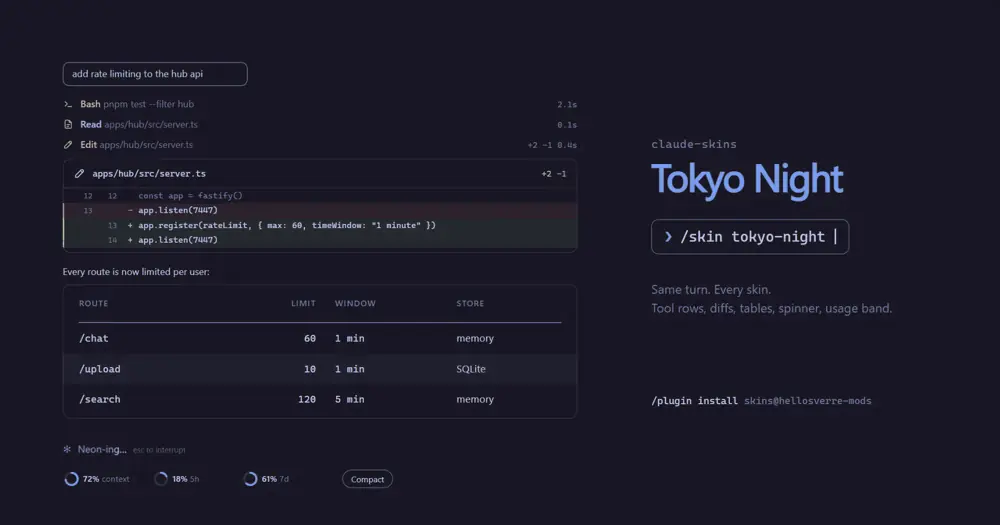
claude-skins is a skin pack for Claude Code: it redraws the transcript in one of fifteen themes, with tool rows that show their timings, diff, table, code and Mermaid chart cards, and a usage band above the prompt. /skin swaps skins while you work, and Claude can design a new one with you.
At a glance
- What it does: restyles tool calls, replies, the spinner and the band above the prompt in fifteen built-in skins, each with a dark and a light palette. You can repaint any of them or have Claude design one.
- Where it shows: the terminal and the desktop app’s Code tab. The desktop gets image cards; the terminal draws the same ideas in text.
- Tokens and network: drawing is free. A note of about 130 tokens tells Claude that charts draw here (
/skin hints offdrops it), and a daily version check goes to GitHub, sending nothing. - Who it’s for: anyone who spends the day in Claude Code and wants a themed transcript that is easier to scan, especially with diffs, shell output and charts.
The demo shows the desktop app’s drawing: the diff card, the chart cards and the usage rings.
What’s new
We first covered claude-skins at version 0.1.0; it has since reached 0.5.14. It went from seven skins to fifteen and added Mermaid chart and math cards, tool rows that open onto their input and answer, a shell card in the terminal, calm and quiet modes, per-folder skins and a daily update check.
What it redraws
On both the terminal and the desktop app:
- Tool rows. Reads, edits, shell commands, searches, web and MCP calls each get a row in their kind’s colour with the command, file or pattern, the time taken and, for edits, the lines changed.
▸opens a row onto its full input and answer (a read’s text, a search’s matches, the shell output, the diff), and a failed call opens by itself. A run of reads and searches folds to one line, such asRead 3 · Search 2 ▸. - Shell output becomes a card with the command,
✓or✗ exit N, stderr in the error colour, and paths and numbers picked out. Long output folds to its first and last lines. - Mermaid charts. A
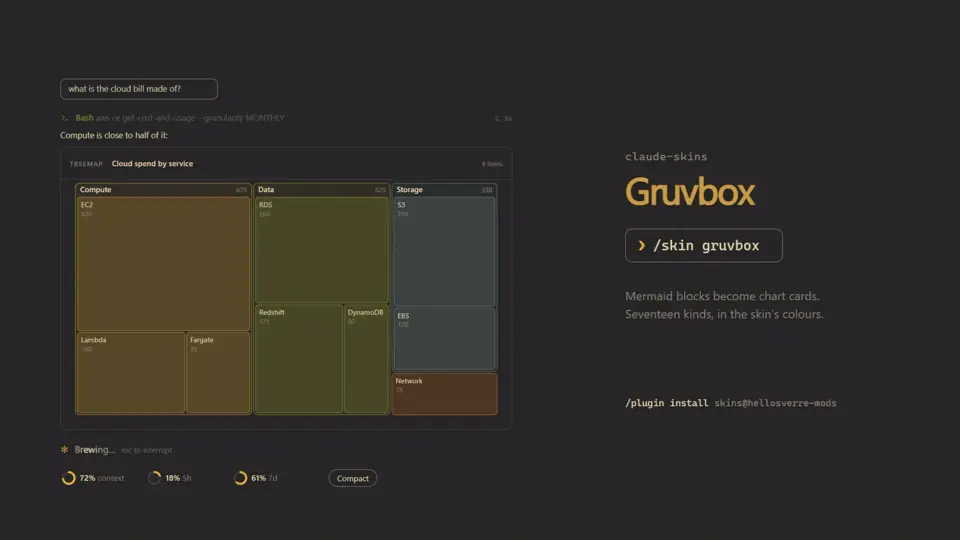
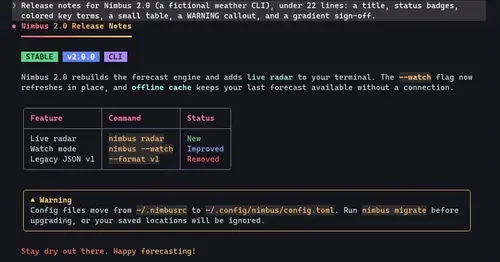
mermaidfence draws as a chart: seventeen kinds, from flowchart, pie and gantt to sankey, radar and treemap. The terminal draws them in character cells and adds sequence, state, class and ER diagrams. - Math.
$$…$$andmathfences become a typeset card on the desktop and stacked cells in the terminal; inline$…$turns into Unicode. - Tables and code. Tables get a header band and zebra rows, code is highlighted in the skin’s colours, and the output of
/cost,/contextand plugin commands becomes tables. Long code and tables fold behind▾ N more.> [!NOTE]alerts and- [ ]task lists are drawn too. - The band above the prompt shows the context window and each plan limit, as block meters in the terminal and rings on the desktop that change colour at 80% and 95%. It can count down to each reset. Its Compact button runs Claude Code’s own
/compact, only when you press it, and nudges you from 70% context. - Copy and links. Every card has a Copy button, and
/skin copycopies Claude’s last reply. URLs become links where the terminal supports them, and files this turn created or edited keep a colour of their own.
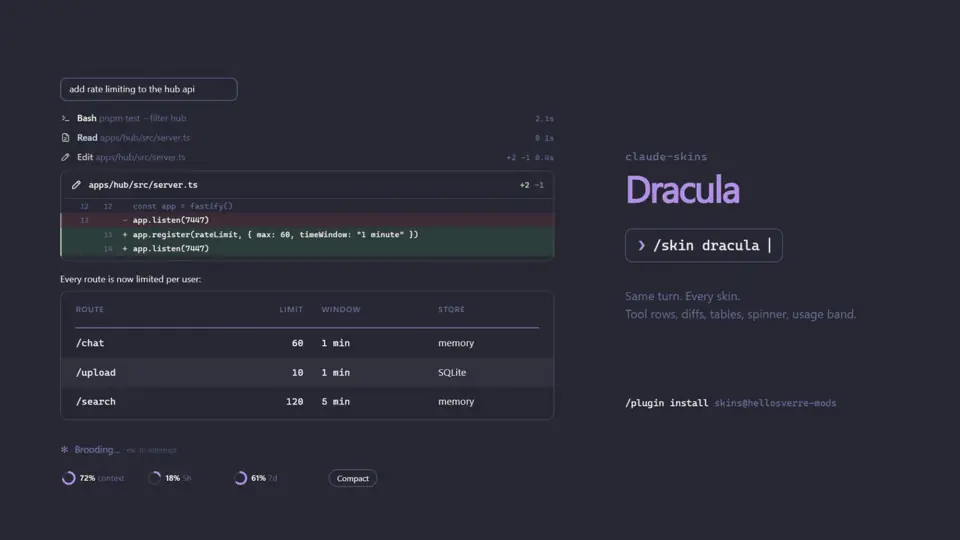
In the terminal only, the spinner shows the skin’s word with a band of light sweeping through it and the elapsed time (Dracula is Brooding and Haunting, Gruvbox is Brewing and Roasting). The turn footer gives a past-tense word, the turn’s time, the tool count and the lines changed. Your prompts sit in a rounded outline.
On the desktop only, edits become diff cards with numbered lines, and the spinner is an animated icon per phase beside Claude Code’s own description of the step. Your messages stay Claude Code’s own, so copy and rewind still work, and bash fences keep the app’s Run button.
Install
Needs Claude Code 2.1.287 or later, in a terminal or the desktop app’s Code tab.
claude plugin marketplace add hellosverre/claude-skins
claude plugin install skins@hellosverre-mods
The plugin installs as skins, from the author’s hellosverre-mods marketplace. Restart Claude Code afterwards: the noir skin is on, and /skin opens the settings. /skin off brings back Claude Code’s own drawing without uninstalling.
The mod checks for a new release once a day and shows a toast when you are behind. To update, run these and restart:
claude plugin marketplace update hellosverre-mods
claude plugin update skins@hellosverre-mods
Skins and settings
The fifteen built-in skins are noir (the default, black and white), tokyo-night, dracula, catppuccin (Catppuccin Mocha), rose-pine, nord, gruvbox, kanagawa, everforest, one-dark, solarized, night-owl, ayu, github and mono (greys only). Each has a colour per tool kind and its own spinner and footer words.
Every skin follows Claude Code’s theme into a light palette. On auto, it reads your terminal’s background or the system’s light or dark mode, and SKINS_THEME=light or SKINS_THEME=dark forces one.
/skinopens a settings pane with a live preview: pick a skin, flip parts on and off, and repaint any of the 15 colour slots with a hex value. Repainting a built-in skin saves a copy namedmy-<skin>./skin <name>switches skin./skin listshows every skin and setting,/skin helpevery command, and/skin gallerynumbers each element the skin draws so you can point Claude at one.- Ask Claude. The mod gives Claude a
designtool. Describe a mood (“a skin that feels like a sunset”) and Claude builds on a built-in skin, changing the colours you name and up to 12 spinner and 12 footer words, then applies it. - Per folder.
/skin pingives the current folder its own look,/skin unpindrops it, and/skin sharemakes the current look the default. - Calm.
/skin calmstops the motion, keeps each tool row to one line, folds read-only output and always shows failures whole./skin calm offputs back what you had. - Parts and options. Each part, from the rail and the band to charts, math and shell cards, turns on or off with
/skin <part> on|off.quiet, off by default, folds reads, searches and read-only commands to one row./skin tables textdraws tables and code as selectable text on the desktop, and/skin words claudekeeps Claude Code’s own spinner words.
Your choices and your made skins survive restarts.
How it works
The mod changes only what is drawn. The stored conversation stays as it was, and Claude sees just two additions: the design tool in its tool list and the chart note below.
- What it reads. To draw a row, it reads each tool call’s input: the command, path, pattern, URL or query. An opened row shows the full input and the answer. It times every call by wrapping
tool.calland notes which files this turn’s edits touched, all in the session’s state. - What Claude sees. While charts are on, a model-only note, about 130 tokens by the README’s estimate, tells Claude that Mermaid fences draw here, so it reaches for a chart when one reads better. It is never added to
claude -pruns. - Network. Its one call is the daily version check, a GET of the repo’s
plugin.jsonon raw.githubusercontent.com that sends nothing. After three days of use, a one-time toast asks for a GitHub star. - Processes and environment. With the theme on
auto, it asks the OS for light or dark mode (defaultson macOS,reg queryon Windows,gsettingson GNOME) and asks again every 5 seconds. It readsSKINS_THEME,COLORFGBGand your terminal’s variables to decide whether links can be drawn. - What it saves. Your settings, made skins, per-folder looks and the dates of the update check and star ask, all in its own mod store. It compacts or copies only when you press the button.
Its other hooks refresh the usage figures, follow theme changes and reload your settings after /clear or /resume.
What people say
There is little discussion of claude-skins outside its repo so far. Its issue tracker shows what users ran into and what changed:
- Early versions flickered while a reply streamed in (issue #9). Cards now animate only on their first draw.
- A desktop user pointed out that table and code cards are images, so you cannot select one cell or line (issue #7). That led to
/skin tables text. - Desktop users missed the copy and rewind buttons on their own messages (issue #46). Since 0.5.5 the desktop keeps Claude Code’s own message.
- Several settings started as requests: per-folder skins (#4), reset countdowns (#30) and Claude Code’s own spinner words (#37).
Compared with other transcript mods
The README compares skins with similar projects and says where each does better. tweakcc recolours all of Claude Code, not only what a hook can redraw, but patches Claude Code’s JavaScript and needs reapplying after each update. Prismantis handles right-to-left text, glint makes file paths clickable, and claude-gfm-render draws sequence diagrams as SVG on the desktop, where skins shows a code card.
Limitations
- Agents, plan mode, to-dos and the permission prompt keep Claude Code’s own drawing, as do background commands and any tool outside the built-in file, shell, search and web tools and MCP.
- In the terminal, edits keep Claude Code’s own diff; failed edits do everywhere.
- On the desktop, sequence, state, class and ER diagrams show as a code card. In the terminal, a diagram over 80 lines or 8,000 characters, or with Korean or Chinese characters in a node id, falls back to rows or code.
- A reply block over 9,000 characters, or a prompt over 4,000, keeps the stock drawing.
- After
/resume, shell cards lose their command header and tool rows lose their times. File paths are coloured, not clickable. - The author checked it by hand on Windows (terminal and desktop app) and runs it on Linux with Claude Code 2.1.288; macOS, VS Code and mobile have not been checked by hand, though CI runs its tests on Linux, Windows and macOS. On mobile the settings pane asks you to open it in the terminal or the desktop app, and like every mod it draws nothing in
claude -por the VS Code extension’s chat panel.
Similar Claude Mods

firstmate-calm
Hides tool rows and swaps the spinner for a sailboat. Toggle with /calm, zero tokens.
cc-crayon
Every reply redrawn in color: themed Markdown plus inline tags the model can write.
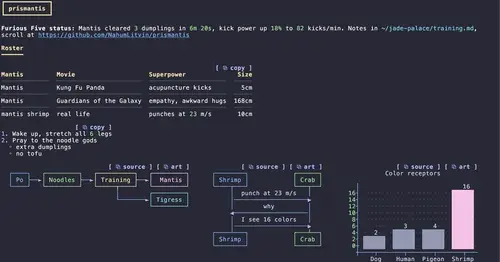
prismantis
Claude's replies in 15 themes: colored tables, highlighted code, diagrams and charts.
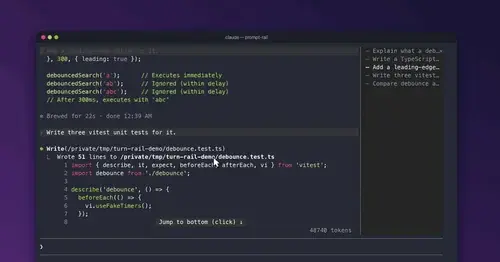
prompt-rail
Your session's prompts as a rail: hover to read one, click to jump back to it.
Popular Claude Mods
The whole directory →storybloq
A board of the tickets and issues kept in .story/, in a pane beside the transcript.
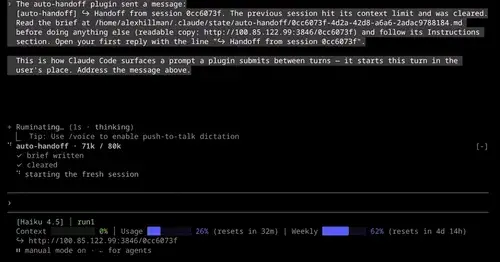
auto-handoff
Hands a long session to a fresh one with a Haiku-written brief instead of compacting.
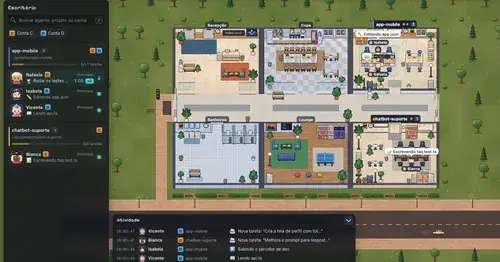
Habblaud
A pixel-art office where each Claude Code agent shows, live, what it is doing.
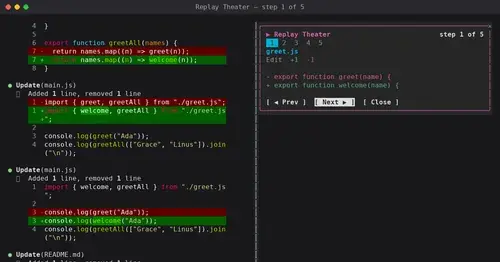
replay-theater
A /replay pane that walks through the last turn's file edits, one diff per step.