Context & memory·terminal·Apache-2.0
token-weather
Context window fill as a weather forecast above the prompt, with a chart of recent turns.
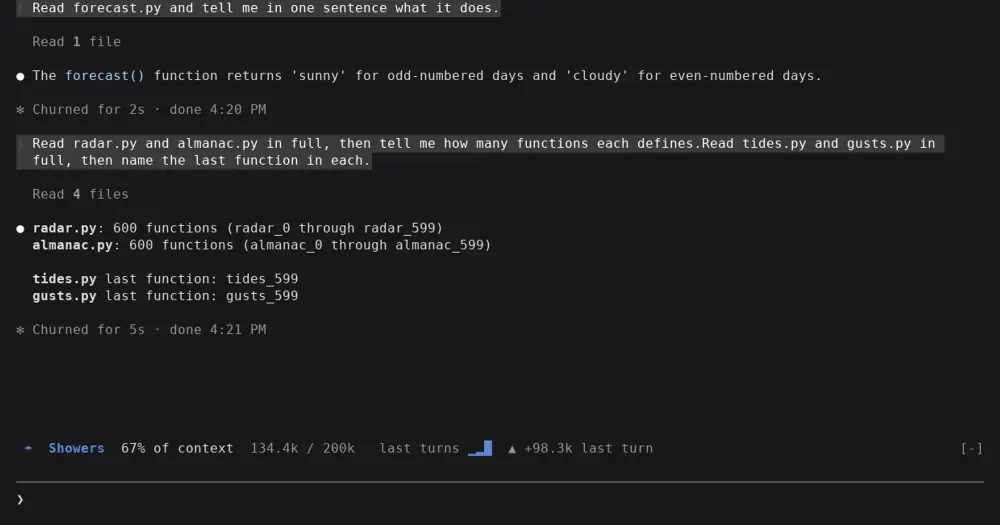
token-weather is a Claude Code mod that turns your context window into a weather forecast in the band above the prompt: Clear under 25%, Storm from 75%, Compact soon at 90%. It is one of three sample mods that Anthropic’s Claude Code DevRel team shares as-is, with no support promised, in the claude-code-playground repository.
At a glance
- The line: a forecast word, the percent used, tokens used out of the window, a chart of the last 12 turns and the change since the previous turn.
- Where it draws: the band above the prompt, in the terminal. Nothing in the VS Code chat panel.
- Cost and privacy: no tokens, no network calls, nothing saved to disk.
- Who it’s for: anyone who wants warning before a compact, mostly on a 200k window, and mod authors looking for a small example to read.
- Status: version 0.1.0, unchanged since 1 October 2026. Open pull requests fix three known bugs.
What the band shows
The forecast word, its icon and its color follow the share of the window in use:
| Used | Forecast |
|---|---|
| Under 25% | ☀ Clear |
| 25 to 49% | ☁ Cloudy |
| 50 to 74% | ☂ Showers |
| 75 to 89% | ☇ Storm |
| 90% and up | ↯ Compact soon |
After the forecast come the percentage, the tokens used out of the window (134.4k / 200k), the chart of recent turns in block characters, and the change since the previous turn: ▲ with the tokens added, ▼ when the context shrank, or “steady”. The icons are plain text symbols, not emoji, so they line up in any terminal font.
Install
Needs Claude Code 2.1.287 or later.
git clone https://github.com/anthropics/claude-code-playground.git
cd claude-code-playground/claude-code/mods
claude plugin marketplace add ./
claude plugin install token-weather@claude-code-playground-mods --scope user
The marketplace file sits in claude-code/mods, not at the root of the repo, so the mod’s README adds it from a local clone. The marketplace then points at that folder: if you move or delete the clone, the mod stops loading. The same marketplace also offers blast-radius and replay-theater.
To try token-weather for one session without installing it, run claude --plugin-dir ./token-weather from the same folder.
Then work as normal. The band appears when the session starts and updates after every turn.
How it works
After each main-loop turn, the mod calls $.session.usage() and reads the context figures: the input tokens the last response was answered over (cached or not), the model’s window, and the percentage between them. They are the numbers the status line receives, not an estimate. It asks for no breakdown, so the call sends no token-count request and costs nothing.
Subagent turns are skipped. The last 12 readings live in memory only: nothing is written to disk and there are no network calls. The same call also returns your plan’s rate limits and cost, which token-weather ignores.
Limitations
- The percentage is of the full window. Claude Code’s own notice counts toward the auto-compact point, which is lower, so it reads higher: 90% in the author’s test while the band said 81%.
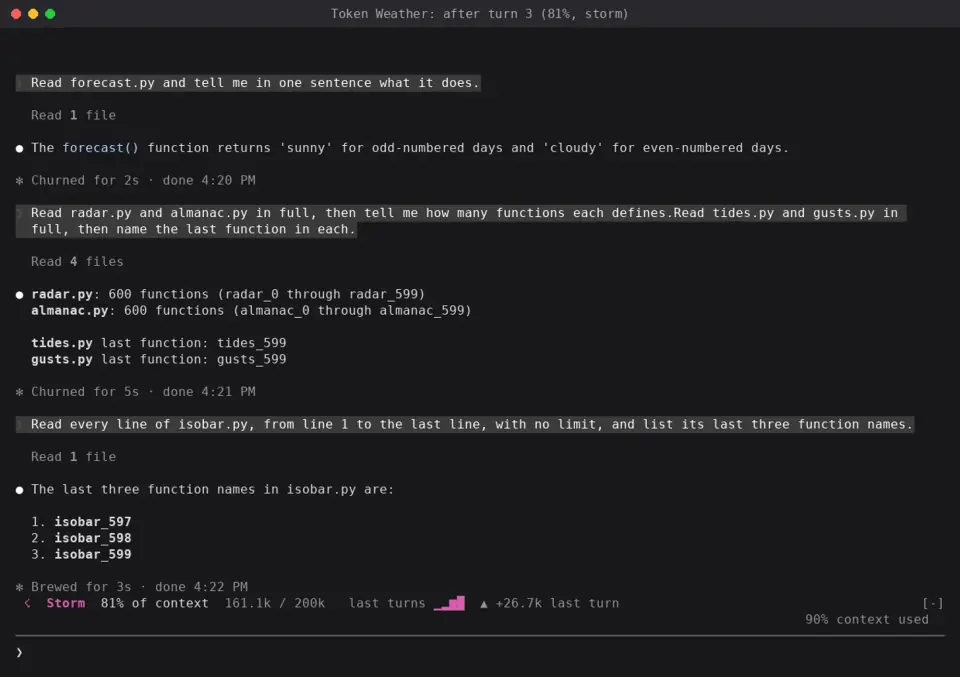
- It updates once per turn, not during one. Before the first response it reads 0%.
- The chart’s bars are relative to the fullest turn shown, so growth is visible even at low fill. The percentage is the absolute figure.
- The history resets only when the session starts or the plugin reloads.
/clearand compaction don’t reset it. - On a 1M-token window, ordinary work stays Clear for a long time.
- It shows the context window only, not your plan’s 5-hour or 7-day limits.
- The author documents the band in the terminal only, tested on 2.1.280. Claude Code’s mods reference now lists the band above the prompt as drawn in the Desktop app too, and token-weather draws only text, but we haven’t seen it there. The VS Code extension’s chat panel doesn’t draw the band.
What people say
Most feedback so far is in the repository’s issues and pull requests, from users and from other mod authors:
- Stale after
/clear. A user reported in issue #15 that the band keeps the old figures after/clear. Pull request #4 explains why: the mod reads only at session start and after a turn, and neither fires on/clearor after a compaction, so the old fill stays until the next turn ends. On a 1M window, its author saw the old figure while/contextreported 3%. - It hides other bands. token-weather draws its band without passing the event on, so a band mod that runs after it never shows. The author of read-along, a mod that puts a player in the band, hit this and confirmed in pull request #7 that the proposed fix shows both, the forecast on top. replay-theater does the same after a turn with edits, so the two can hide each other.
- Surveys and narrow bands. Pull request #17 points out that the render hook reads
hasSurveyandbodyColumnsfrom the event itself instead of frome.props, where Claude Code puts them. So the forecast draws in place of a survey, and the chart and trend still show on a band narrower than 60 columns, which the code means to leave out.
All three fixes are open. The repository doesn’t take outside contributions and may close them without review, but since you install from your own clone, you can apply a fix there.
Build your own
The claude.dev tutorial Getting started with Claude Code mods, by Addy Osmani, builds an 80-line Token Weather from an empty folder, with types and tests. Its version keeps the readings in $.state, so the history survives a hot reload, and reads hasSurvey and bodyColumns from e.props. Comparing it with the playground’s module, about 120 lines, is a quick way into the mods API. The mods documentation lists token-weather first among Anthropic’s sample mods.
Similar Claude Mods
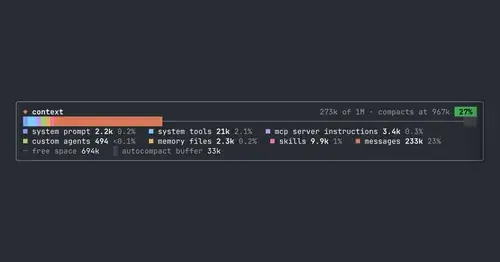
context-bar
Your context window as one stacked bar above the prompt, a color per category.

context-inspector
What fills the context window, what is waste and what compaction kept, with advice.
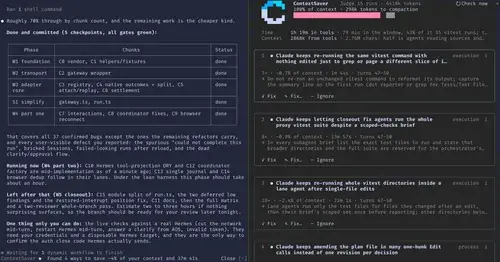
ContextSaver
Spots repeated waste in a session, prices it in context and time, fixes it in one click.
idle-compact
Compacts an idle session once at minute 50, before the 1-hour prompt cache expires.
Popular Claude Mods
The whole directory →terminal-browser
A Chromium browser in a pane beside the transcript, for previews and agent browsing.
firstmate-calm
Hides tool rows and swaps the spinner for a sailboat. Toggle with /calm, zero tokens.
next-steps
Up to six suggested next steps after each reply. Tick some and Haiku writes the prompt.
claude-toons
Cartoons of Clawd under the spinner that change with what Claude is doing.