Interface·terminal · desktop·MIT
filetree
Sidebar file tree with git status that lights up what Claude reads, edits and commits.
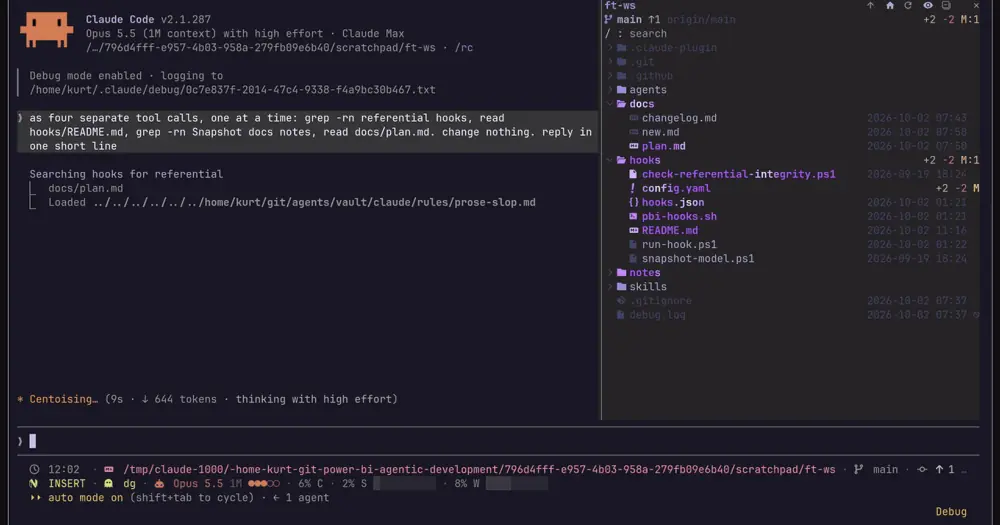
filetree is a Claude Code mod that docks an IDE-style file tree beside your session, for anyone who wants to see which files Claude reads, edits and commits without switching to an editor. The repository is called claude-code-filetree; the plugin installs as filetree.
At a glance
- What you get: a tree of the working directory with git status per file, a shimmer on every file Claude touches, git operations in the footer, and diffs and file previews inside the pane.
- Where it shows: the right sidebar. In the terminal it needs the fullscreen layout and 110 columns; the Code tab of the desktop app docks it on its own.
- Cost and privacy: no network calls. The only token cost is one line of context per prompt while you have a file selected.
- Version: 0.4.1, released 23 October 2026.
What it does
Claude’s activity
- Files Claude reads or searches shimmer purple: the Read tool, Grep and Glob results, and shell readers such as
rg,grep,findandcat, in Bash or PowerShell. - Files it writes shimmer orange, and files it stages or commits shimmer green. Collapsed folders open to show the file, the tree scrolls to it, and the shimmer fades within three seconds.
- When Claude runs
gitorgh(commit, push, pull, checkout, merge, rebase,gh pr createand more), the footer shows the operation while it runs and then its result: the short hash after a commit, or “commit failed”.
Git status
- Files and folders take the color of their git status and carry a letter badge. Deleted files are struck through and ignored ones greyed out.
- Modified files show lines added and removed against
HEAD. Folders show counts of new, modified and deleted files (?:N M:N D:N). - The header row has the branch, its upstream, commits ahead and behind, and the totals, or “clean”.
Diffs and preview
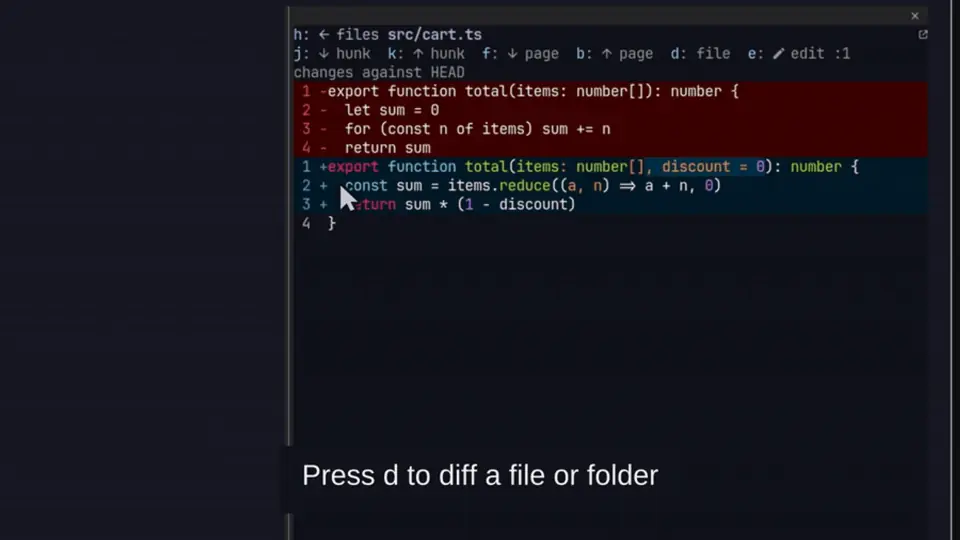
don a changed file shows its diff againstHEADin the pane, drawn by Claude Code’s own diff view. On a folder it shows every changed file under it, andjandkjump from file to file.- With Open with set to
preview, a file opens inside the pane, Markdown rendered and code highlighted. In tmux or herdr, or with Edit with set,eopens it in your editor at the line on screen.
Navigation and context
- The search box filters the tree, including folders you have not opened yet. Enter jumps to the first match.
- A click selects a file or opens a folder. A double-click opens a file or makes a folder the new root. Right-click copies the relative path, Shift+right-click the absolute one.
jkhlor the arrows move,oor Enter opens,sfocuses search. On macOS, Space shows a file in Quick Look.- Header buttons go up a folder, return to the cwd, refresh, toggle dotfiles, swap dates for sizes, collapse everything and clear the selection.
- Select a file and your prompts carry its path, so “what changed in this?” means that file. An
@pathmention in a prompt reveals that file in the tree. - The tree follows the session’s working directory, and
/filetree <path>pins another folder. Drag the pane edge to resize it.
Install
Needs Claude Code 2.1.287 or later. In the terminal it also needs the fullscreen layout (/tui fullscreen) and a window at least 110 columns wide; the desktop app needs neither. Git status needs a git repository; without one the tree still works. The author tests it on Linux, macOS and Windows.
claude plugin marketplace add data-goblin/claude-code-filetree
claude plugin install filetree@claude-code-filetree
The pane opens in the sidebar when a session starts. /filetree shows or hides it, /filetree open opens it without hiding it, and the command tells you when the terminal layout or width falls short.
If the install fails with Unrecognized key: "options", your Claude Code is too old: run claude update and install again. An earlier install under the name filetree@filetree keeps loading and receiving updates.
Settings
All settings live in /config under filetree. The ones that change the most:
- Claude activity: what shimmers.
reads and writes(default),writes,readsornone. Git colors and the footer always show. - Follow Claude:
offstops the tree scrolling to what Claude touches. Files still light up. - Open at start:
offkeeps the pane closed until you run/filetree. - Right column:
date(default),age(12m,3h,5d) orsize. - Open with: what double-click and Enter do with a file: the default app (empty),
previewin the pane,editor($VISUALor$EDITOR, only in tmux or herdr on Linux and macOS) or a command such ascode -g {path}. Binary files and Edit with fine-tune it. - Diff with: a tool such as
lazygit -forhunk diff --instead of the diff in the pane, run in tmux, herdr or a new Linux terminal window. - Ignore and Palette: names to leave out of the tree (
.cache .tmp), and your ownkey=#hexcolors over the active theme. - Glyphs:
auto(default),nerdorplain. On Windowsautopicks plain, so choosenerdif your terminal has a Nerd Font.
Hints, Search spacing and Shortcut row hide rows you may not need. A light /config theme gets its own high-contrast palette, and on Omarchy the pane follows the current theme.
How it works
The mod reads Claude’s tool calls through tool.call after they run. It never changes or blocks a call.
- From Read, Edit, Write and NotebookEdit it takes the file path, and from Grep and Glob the files in the result.
- From Bash and PowerShell it reads the command and its output. It parses the command for
gitandghsubcommands, which drive the footer, and for reader commands (rg,grep,find,cat,sed,jqand similar) to find the paths they read, plus up to 400 lines ofrg,grep,findandfdoutput. - After a shell command that is not read-only, it looks for files modified since the command started: with
findon Linux and macOS (on macOS through a temporary marker file in$TMPDIR), and among the files git reports as changed on Windows.
The git commands it runs itself are local and read-only (status, diff, ls-files, rev-parse, diff-tree), with --no-optional-locks so they never take the index lock. Every two seconds it checks the modification time of .git/index and .git/HEAD, so a commit or checkout made anywhere, your own shell included, refreshes the tree. It never runs gh and makes no network calls: ahead and behind counts come from your last fetch.
Other processes: find and du for search outside a repo and folder sizes, uname -s, a Nerd Font check with fc-list and ps (skipped on Windows and over SSH), herdr --version inside herdr, and your system’s opener when you open a file.
prompt.submit adds one line of context to every prompt while a file is selected: its path, with a note that “this” or “it” probably means that file. That line is the mod’s only token cost, and the clear-selection button stops it. The same hook catches finished background tasks, so a git command Claude ran in the background still gets its footer result. session.end resets the tree after /clear or a resume.
The tree, the theme and the last six git operations live in the plugin’s state. On Omarchy it reads the colors from ~/.local/state/omarchy/current/theme/colors.toml every two seconds.
What’s new
Since this page first went up on 2 October, filetree has gone to 0.4.1. The biggest additions are diffs and previews in the pane, the editor and diff-tool settings, folder sizes, and PowerShell, Grep and Glob as Claude activity. The desktop app’s scrolling and very large trees are fixed. The classic.* and prompt.attachment hooks are gone, replaced by a two-second git check.
What people say
- Team and Enterprise accounts. In issue #27, Team users reported that
cc-plugin-sec-default, a built-in plugin Claude Code seats on those accounts, skipped some of filetree’s hooks, so/clearand commits stopped refreshing the tree. The author fixed it in 0.2.27 and 0.3.2. - Install errors. In issue #18, a user fixed a failed install by updating Claude Code, then wrote that the tree makes larger projects easier to follow while Claude reads and edits many files.
- Roundups. MindStudio’s guide to Claude Code mods lists it among seven mods that fix real workflow problems: it won’t replace an IDE, but it fills a gap for people who stay in Claude’s terminal.
- Contributors. Most features added since launch came as pull requests from users, from folder sizes and Quick Look to the Binary files setting.
Limitations
- In the terminal’s default layout the pane closes itself.
- Mods do not load in WSL sessions of the desktop app, the author notes.
- Shell reads are recognized only for the reader commands above, so a script that reads files lights nothing up. On Windows, shell writes are found only among the files git reports as changed, or outside a repo in folders open in the tree.
- Inside a repo, search skips ignored files. Outside a repo it goes six folders deep.
- In the desktop app, a very large expanded tree is cut off with a note to collapse folders or use search.
- In herdr, clicking rows needs herdr 0.9.1 or later.
Similar Claude Mods
source-control
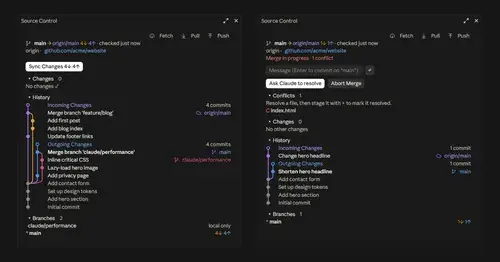
Git status above the prompt and a VS Code-style panel to commit, sync and resolve.
glowup
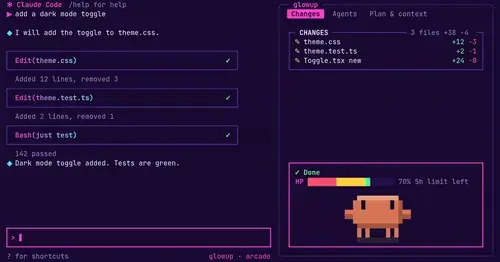
A live side pane for changes, subagents and context, shareable themes and a pixel pet.
claude-review
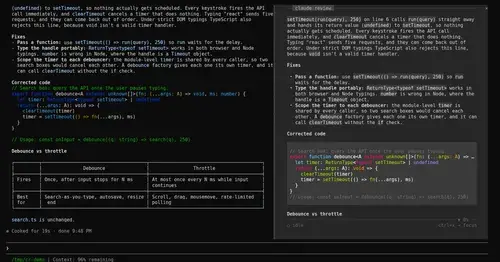
The latest reply in a docked reading pane, with its plan, question and tasks a key away.

terminal-browser
A Chromium browser in a pane beside the transcript, for previews and agent browsing.
Popular Claude Mods
The whole directory →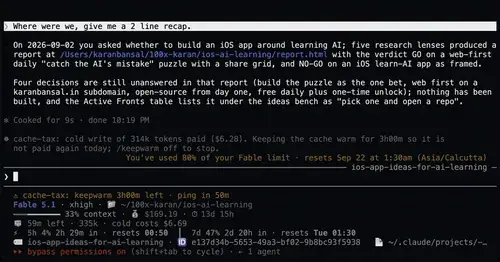
cache-tax
Keeps the prompt cache warm during breaks and stops a cold send once with its price.
replay-theater
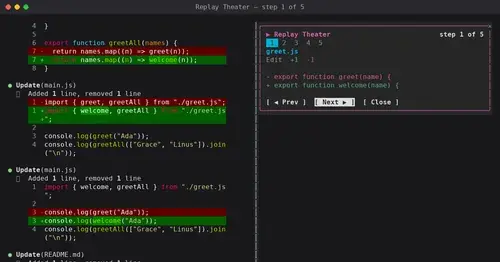
A /replay pane that walks through the last turn's file edits, one diff per step.
cs
Rotate and wrap keys above the prompt from 40% context, forced rotation at 80%. Needs cs.
compact-handoff
Like /compact, but the conversation becomes your validated /handoff and work carries on.