Dashboards·terminal · desktop·MIT
ccprogress
Which step Claude is on, how many are left and for how long, in a bar above the spinner.
Archived. The author archived
amigoer/ccprogresson GitHub on 14 October 2026. It still installs with the commands on this page, but it is read-only now and won’t get fixes or updates.
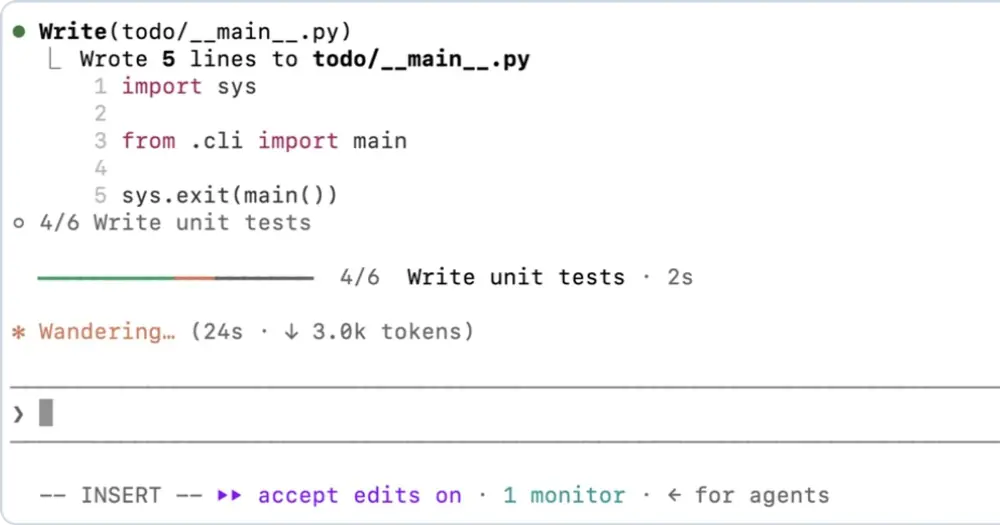
ccprogress shows Claude’s plan for the current task as a live progress bar: the step running now, how many are left and how long that step has taken, updated as each step starts and finishes. It is meant for long sessions, where the spinner on its own gives you only elapsed time and tokens. It draws in the terminal and in the Desktop app.
What it does
- In the terminal, the bar sits on the line right above the spinner while Claude works: a green, orange and gray line, the step count (
4/6), the current step’s title and a timer in seconds. Between turns it moves to the band above the prompt. - In the Desktop app, the bar lives in the band above the prompt all the time, as a segmented bar with the step title and a timer in whole minutes. View steps unfolds the full checklist in place.
- Folded reports. In the terminal, each progress report shows in the transcript as one dim line such as
◦ 3/5 Run the testsinstead of the whole step list. - Stuck alert. When a step runs past 5 minutes, its timer turns red and a toast warns that it may be stuck; the author notes that the cause is often a permission prompt nobody answered. Another toast says when every step is done, with the total time.
- A finished plan stays on screen until you dismiss it or send your next prompt.
- Commands.
/progressopens the checklist in a side pane in the terminal (the unfolded band in the Desktop app) and works while Claude is busy./progress alllists the plans of every session on this machine from the last 24 hours, with the project, the current step and when it last moved./progress cleardrops the current plan.
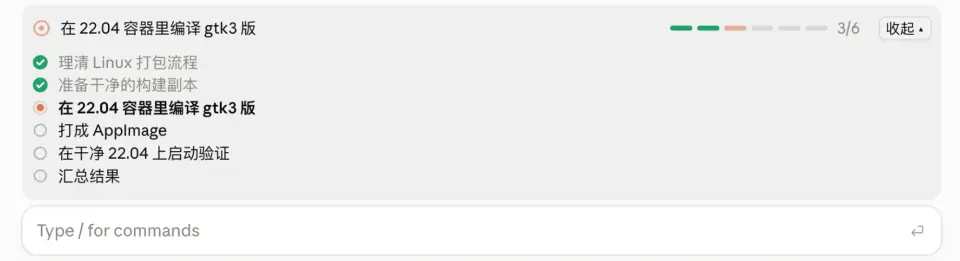
plan-progress does a similar job with stages, several task bars at once and subagent strips under each task, always through a planning tool of its own. ccprogress keeps one plan per session, draws right above the spinner in the terminal, and reads the built-in todo or task list when the session has one.
Install
Needs Claude Code 2.1.287 or later.
claude plugin marketplace add amigoer/ccprogress
claude plugin install ccprogress@ccprogress
Run /reload-plugins in sessions that were already open. Installed at user scope, it loads in both the terminal and the Desktop app. Then give Claude a task with a few steps: the bar appears as soon as Claude lays out its plan.
Settings live in /config or /plugin configure ccprogress@ccprogress:
stuck_minutes(default5): when the stuck alert fires.0turns it off.notify(defaulttoast):systemalso sends a desktop notification throughosascripton macOS ornotify-sendon Linux. Where neither exists, you get the toast only.fold_reports(defaulttrue): turn it off to see each report’s full step list in the terminal transcript.language(defaultauto): bar labels in English (en), in Chinese (zh), or following the language of the steps.
How it works
The bar needs someone to name the steps. At session start ccprogress checks which tools the session offers and takes the steps from the first source it finds:
- The built-in
TodoWritetool. After each successful call, the mod reads the todo list from the call’s input. - The built-in task list (
TaskCreate,TaskUpdate). After each call it reads the task files back from~/.claude/tasks/. According to the README, current builds turn these tools on withCLAUDE_CODE_ENABLE_TODO_TOOLS=1. - Its own
update_progresstool otherwise, which the author says is the case in the current Desktop app. Claude calls it with a goal and the full step list, each step markedpending,in_progressorcompleted.
Only the third source adds to the context: the tool’s definition, plus a system prompt section of about 100 words asking Claude to report any task of three or more steps and to update it as steps start and finish. If a turn reaches four tool calls with no report, one reminder of about 25 words is appended to a tool result for Claude to read; you do not see it. The author puts the cost at a few hundred tokens per task.
The mod sees the name of every tool call, to count the actions in a turn, but reads the input only of TodoWrite and its own tool. It reads nothing from your prompts: sending one only clears a finished plan. It makes no network calls and no extra model calls, and the only process it starts is the notifier in system mode. While a turn runs, a one-second timer keeps the step clock current.
Each session’s plan is saved in the plugin’s store under ~/.claude/plugins/store/ and comes back with /resume; only the 50 most recent sessions are kept. That shared store is how /progress all sees every session, and the README’s section on reading plans documents its format for scripts that want to list them.
Limitations
- The bar appears only when Claude reports a plan. One-step requests and plain questions get none, and with the mod’s own tool it depends on Claude following the instruction.
- Only the main conversation’s plan is drawn. Subagents cannot take over the bar.
- The Desktop app draws its spinner row itself, so there the bar stays in the band above the prompt, its timer starts showing after the first minute, and
/progressunfolds the band instead of opening a pane. Desktop sessions under WSL do not load plugins. - In the VS Code extension’s chat panel,
claude -pand the Agent SDK nothing is drawn;/progressprints a text summary instead.
Similar Claude Mods

RemCTL
Today's Apple Reminders above the prompt, plus tools for Claude to manage them.
savvy-progress
Running, finished and planned subagents with model, context, cost and time, in one panel.
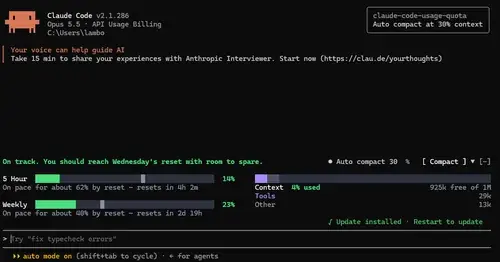
claude-code-usage-quota
5-hour and weekly plan limits, a run-out forecast and the context, with auto compact.
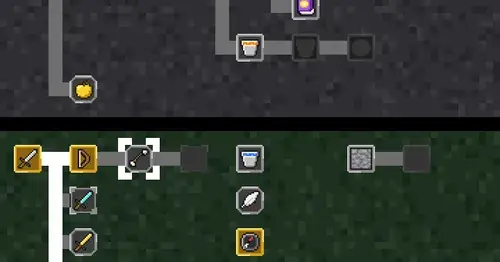
CodeCraft
Hearts for context, food for usage limits, armor for git, XP for verified work.
Popular Claude Mods
The whole directory →terminal-browser
A Chromium browser in a pane beside the transcript, for previews and agent browsing.
roer-ui
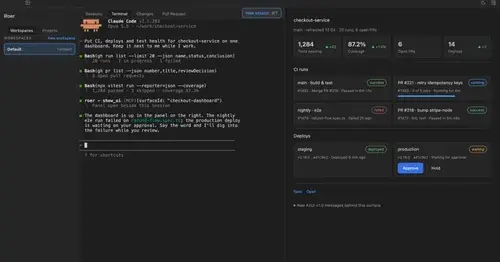
Claude draws forms, dashboards, tables and diffs you can click, in a pane. From JetBrains.
token-weather
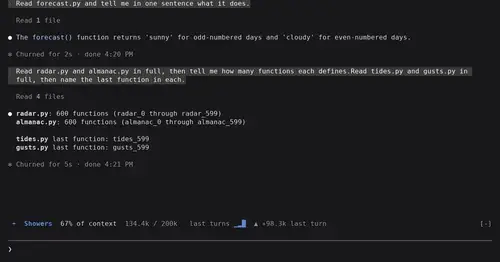
Context window fill as a weather forecast above the prompt, with a chart of recent turns.
blast-radius
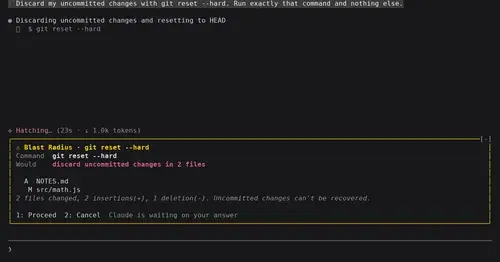
Shows what rm -rf or a force push would change and waits for Proceed or Cancel.