Dashboards·terminal·no license file
gh-ci-status
Your repo's GitHub Actions runs pinned above the prompt, with links and toasts.
gh-ci-status pins the GitHub Actions runs of the repository you are working in above the Claude Code prompt: one line per run with its status, trigger, elapsed time and title. The run number links to the pull request and the workflow name links to the run.
What it does
- Finds the repository the way
ghdoes, through the default remote, once at session start. - Polls
gh run listevery 60 seconds, and every 15 seconds while a run is in flight or for six minutes after a push. Agit push,gh pr merge,gh workflow runorgh run rerunin the Bash tool wakes it. - Shows runs from pushes, pull requests, manual dispatches, the merge queue, releases and workflows started by another workflow. Cron and issue bots are left out.
- Toasts when a run starts or finishes. A finished run stays on the line for five minutes.
Install
Needs Claude Code with function hooks enabled (the band above the prompt draws from 2.1.269 on), the GitHub CLI (gh) on your PATH and logged in, and a GitHub remote in the repository.
claude plugin marketplace add diegorv/claude-functions-hook
claude plugin install gh-ci-status@claude-function-hooks
The same marketplace ships time, a one-hook mod that draws the time you sent each message above it.
How it works
The repository check runs once, at session start. If gh is not logged in or the network is down at that moment, the mod stays quiet for the whole session: restart it after gh auth login. All data comes from gh on your machine, and the mod makes no network calls of its own.
Limitations
- Draws only in interactive terminal sessions.
- The repository has no LICENSE file, so the code is published without a stated license.
More mods
The whole directory →
agent-flow
Every subagent of the session in a live tree beside the transcript. Zero tokens.
claude plugin install agent-flow@claude-agent-flow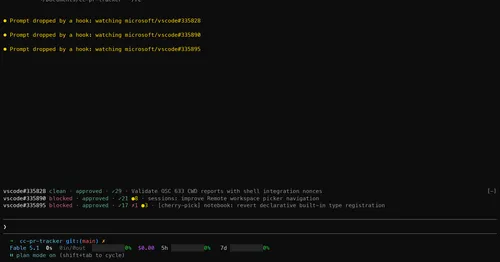
cc-pr-tracker
Merge state, review and checks of your PRs on one line above the prompt, with alerts.
claude plugin install cc-pr-tracker@cc-pr-tracker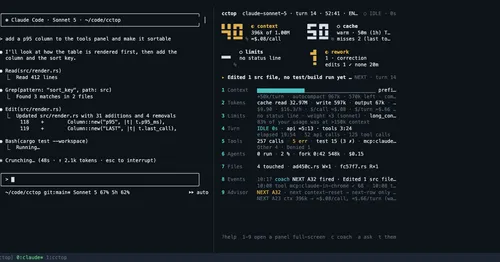
cctop
Context, cost, rate limits and tool stats of the session, live in a side pane.
claude plugin install cctop@cctopcontext-lens
Window fill, growth per turn and turns left before compaction, pinned under the prompt.
claude plugin install context-lens@claude-mods