Interface·terminal·MIT
grilling-pane
Claude's plan questions in a pane beside the transcript. One Submit answers the round.
grilling-pane draws the questions Claude asks about a plan in a pane beside the Claude Code transcript, so you answer a whole round with a few key presses instead of typing each reply. Every question gets one button per option, and a single Submit sends every pick as one prompt. It is built for Matt Pocock’s grilling skill, which interviews you about a plan before Claude acts on it, and takes its name from that skill. The same author’s pull-request-pane uses the same pane surface for GitHub pull requests.
What it does
- Reads the round from the transcript. The plugin ships its own skill,
grilling-pane:grilling, which calls the upstream skill for the interview method and writes each round of questions inside a fenced code block labeledgrilling. The pane shows the latest round only: an earlier round’s open questions leave it when a new round arrives. - Shows the recommendation. When an option ends in
(recommended: <reason>), the reason appears as a dimmed line under its button. - One pick per question. Press an option to choose it and press it again to clear it. A Submit row at the top and the bottom of the list counts how many questions are answered and how many are skipped.
- Talk about this one. Every question gets a last option the pane adds itself, for when no listed option fits or you want to discuss before choosing. Picking it opens a one-line field under it; type there if you want, Enter keeps the text and moves to the next question. Submit sends it as
(discuss)followed by your text. - Opens on its own. After you show the pane once, it reopens whenever a new round arrives, without taking the keyboard. Hide it with
/grilling-paneto stop that. While it is hidden and questions are pending, the status line readsgrilling-pane: N open questions.
Install
Needs Claude Code 2.1.287 or later, plus the grilling skill from mattpocock/skills, v1.2.0 or later (gh skill install mattpocock/skills grilling --agent claude-code). The author’s own floor is Claude Code 2.1.280.
claude plugin marketplace add meganemura/grilling-pane
claude plugin install grilling-pane@grilling-pane
Run /grilling-pane:grilling <plan> to start the interview, and /grilling-pane to show or hide the pane and give it keyboard focus. Arrow keys move between buttons, Enter presses the focused one, Esc returns focus to the prompt box. A mouse click presses a button too.
How it works
The mod does not use the AskUserQuestion tool and never inspects tool calls or your shell. It reads the session transcript on session.start and after every turn.complete, and scans assistant messages for fenced grilling blocks. Inside a block, a Q<n>: <question> line opens a question and each - line under it is an option. A line that matches neither pattern is skipped, a question with no options is dropped, and questions Claude asks in plain prose outside a block are not detected. Two different questions with the same number are both shown, flagged duplicate number.
A question counts as answered when one of your messages contains the header Answers (grilling-pane): followed by a line that starts with Q<n> <question text> → . Answer lines are read only from user messages, so Claude quoting the header back does not close a question.
Submit sends one prompt: that header, then one line per open question with the chosen option’s label, (skipped) or (discuss) plus your note. It goes in exactly as if you had typed it, so it enters the context and costs tokens like any prompt, roughly the length of the questions plus the answers. With zero picks in the round nothing is sent and the status line asks for at least one.
If you type a normal message while questions are open, your words go through untouched, but the mod hooks prompt.submit and appends a short context note naming the numbers of the questions still open, so Claude reads them as open rather than skipped. The note carries numbers only, never your picks, which stay in the pane for the next round.
It makes no network calls and runs no commands. The only thing it saves, in the plugin’s own store, is one flag: whether you want the pane open. Your picks live in memory, so a module reload before Submit clears them. The pane itself never reaches the model; only the Submit prompt and that note do.
Limitations
- Terminal only. The render hook answers only on the terminal surface, so the pane does not draw in Claude Code Desktop or on mobile.
- Only questions written in the
grillingblock format appear. If you answer one by typing a normal reply, the pane keeps listing it as open, because it recognizes only its own answer format. - One option per question. The free text under Talk about this one is one line; for anything longer, type in the prompt box.
- The interview method lives in the upstream skill, which you install separately. The plugin’s own skill adds the block format and the pane.
- Version 0.4.2, first published in September 2026. The 2.1.280 requirement is the author’s; we have not run it ourselves.
Similar Claude Mods

terminal-browser
A Chromium browser in a pane beside the transcript, for previews and agent browsing.
replay-theater
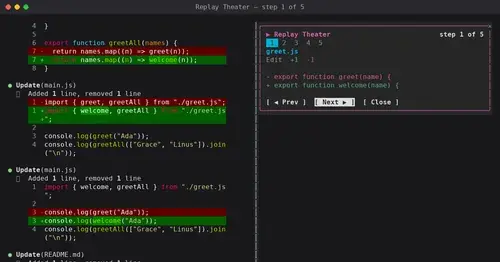
A /replay pane that walks through the last turn's file edits, one diff per step.
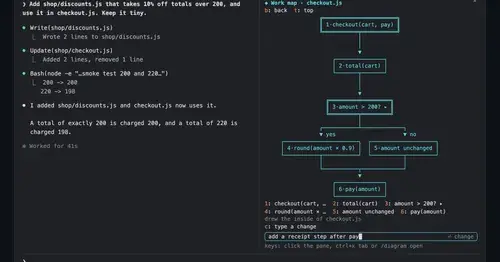
diagram-pane
Every diagram Claude draws, pinned in a side pane, plus a live map of the work.
roer-ui
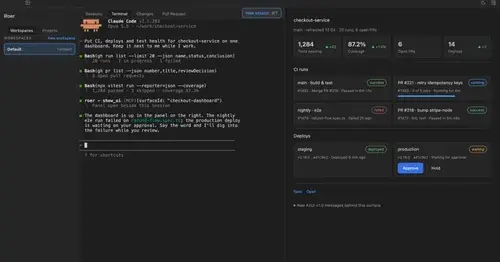
Claude draws forms, dashboards, tables and diffs you can click, in a pane. From JetBrains.
Popular Claude Mods
The whole directory →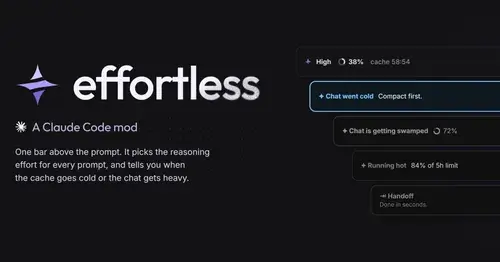
effortless
Picks the effort for every prompt and shows how long the prompt cache stays warm.
collision-guard
Asks before Claude edits a file another open chat just changed.
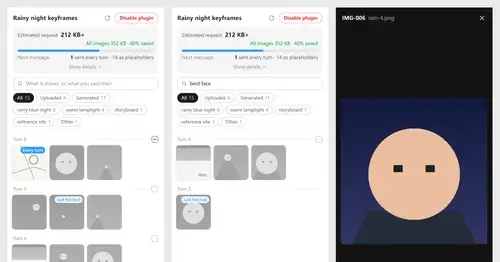
Context Attachment Manager
Pick which past images go out with your next message; the rest become placeholders.
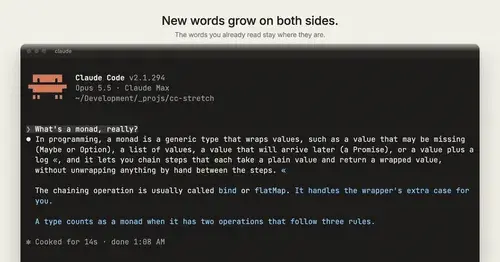
cc-stretch
Replies arrive short; click a phrase and it grows in place, click « to fold it back.