Games·terminal·no license file
katzensteg
SDL games and HTML pages in panels beside the transcript, with tools so Claude can play.
katzensteg runs native SDL applications, mostly games and emulators, and shows their output in the terminal through the kitty graphics protocol. This plugin puts that output inside Claude Code: one panel per running program, in a pane beside the transcript or in the band above the prompt. Click a panel to play, or let Claude play: the plugin registers tools that open a game, render an HTML page, send clicks and keys, and take a screenshot the model can read. It is a version 0.0.1 experiment for Linux and macOS users of kitty or Ghostty who build Katzensteg from source.
What it does
/katzensteg open <profile>starts a program from a Katzensteg launcher profile (the README’s examples aremi2andsonic) and shows it in a panel.close,list,stopandhostmanage panels and the connection.- Panels live in a pane docked beside the transcript (in fullscreen from 110 columns; above the prompt otherwise) or, after
/katzensteg place band, side by side in the band. In the pane, panels sit in lanes: columns with a width of their own, where a new panel joins the shortest lane; drag a title into another lane or into the empty space to its right to make a new one, and drag a side edge to size a whole lane./katzensteg size small|medium|largesets the height,/katzensteg panereopens the pane afterctrl+x xclosed it, andctrl+x tabfocuses it. Size, placement and route are remembered. - Click a panel to give it the keyboard; Escape returns it to the prompt. The border is the controls: the × closes, dragging the title reorders, dragging an edge or the corner resizes. The handle under the pointer lights up, a held panel gets a heavy, moving border while the others dim, and the title shows the size in cells during an edge drag.
/katzensteg route auto|direct|standin|claim|blitpicks how a panel’s pixels reach the terminal; see below./katzensteg hostshows the route in use.- Five tools for the model:
mcp__katzensteg__open,show,panels,actandobserve.showrenders an HTML document, file or URL in a panel through luchs, a WebKit page viewer (macOS only); it keeps cookies between runs, so a page behind a login asks once, and a sign-in popup opens as a second view the panel can type into.actsends up to 16 moves, clicks, key taps and waits, in source pixels.observereturns the latest frame as a PNG path the Read tool can display, so Claude can look at the game or at the chart it just drew. Akatzensteg-visualizeskill carries the workflow and layout rules for the small panel. - The plugin exports
KATZENSTEG_TARGETandKATZENSTEG_OBSERVE=1to the model’s Bash tool, so a plainkatzensteg mi2run in a shell opens a panel too.
Install
Needs Claude Code 2.1.287 or later (the author names 2.1.260 as the plugin’s own minimum), Linux or macOS, a terminal with kitty unicode placeholders and truecolor (COLORTERM=truecolor; the author tests in Ghostty), and a Katzensteg checkout built with Zig 0.16.0 and the SDL2 development libraries, plus libyuv on Linux. The plugin expects the host binary at ~/dev/katzensteg/zig-out/bin/katzensteg-wm; KATZENSTEG_REPO or KATZENSTEG_HOST_BIN point it elsewhere. No marketplace: the plugin loads with --plugin-dir.
git clone https://github.com/rjwittams/katzensteg ~/dev/katzensteg
cd ~/dev/katzensteg
zig build
claude --plugin-dir tools/claude-code-plugin
To route Claude Code’s output and the panel graphics through one terminal writer, start Claude Code under the host’s wrapper instead. It runs Claude Code on an inner PTY, forwards input unchanged and hands the plugin the host through KATZENSTEG_WM_HOST; exit Claude Code normally to stop it.
./zig-out/bin/katzensteg-wm --wrap -- claude --plugin-dir tools/claude-code-pluginRun /katzensteg open <profile> and click the panel. Mouse input only arrives in Claude Code’s fullscreen TUI mode, because mouse reporting is enabled on the alternate screen alone. Profiles belong to the standalone launcher: many expect local app checkouts or game data that the repo leaves out, so check one first with ./zig-out/bin/katzensteg --dry-run <profile>. The author does not say which Claude Code release the recorded test sessions used; the 2 October 2026 rewrite targets 2.1.287.
How it works
Two processes, as in terminal-browser. The hooks module runs inside Claude Code. katzensteg-wm, a headless window manager, runs the programs, owns the image ids and writes the kitty graphics to your terminal itself. The original design had the module draw only placeholder cells: U+10EEEE characters with row and column diacritics, coloured with the image id as a 24-bit foreground, in one Client component per panel. The terminal composes each image into its cells, which is why panels scroll and redraw with no geometry work, and why truecolor is mandatory: a 256-colour foreground reads as a different image id.
Claude Code 2.1.287 and later refuse that placeholder character in text a plugin draws, so since 2 October 2026 there are four routes, picked with /katzensteg route and remembered. direct is the original: the module writes the placeholder cells itself, on builds that still accept them. standin draws a stand-in character that the wrapper rewrites to the real placeholder on its way to the terminal. claim has Claude Code draw an Image element over the session’s claim file, with the panel laid over it for the border and input; the wrapper reads the image id Claude Code chose and uploads every frame to it, so the engine is not involved per frame. blit needs no wrapper: Claude Code draws the same Image and the module asks the host for each frame by name and swaps it in with $.ui.blit, one engine call per frame, which the author puts at a few percent of a core at thirty frames a second. auto picks claim under the wrapper, blit on a build with the Image element and direct on one without; a route that cannot be served falls back to what auto would pick.
The host: at session.start the module registers the /katzensteg command and the five tools, then runs ps -o tty= -p $$ through sh to learn the terminal device and starts katzensteg-wm --headless --background --tty /dev/<tty> --parent-pid <claude pid>. That launches a host for this terminal, or answers for the one already running, and prints its pid, port and token. From then on everything is HTTP to 127.0.0.1 on that port with a bearer token: POST /v1/clients registers the session as a client, /sessions is polled every 400 ms (which also renews the client’s lease; a host with no clients exits), /sessions/<id>/grid posts the aspect-fitted grid and /sessions/<id>/input carries keys, pointer and wheel events. The host watches Claude Code’s pid and closes the session’s programs when it exits. Nothing leaves your machine through the plugin. The one case with network is show with a url: the luchs viewer, a host-side process, fetches that page and keeps its own cookies between runs, so a login persists.
What enters the model’s context: while a host is connected, a prompt.section hook appends one paragraph to the env_info_simple section of the system prompt naming the five tools and when to use them. That costs a few dozen tokens per turn, stays identical so the prompt cache holds, and vanishes when the host is gone. show with inline html writes the document to $TMPDIR/katzensteg-show-<timestamp>-<n>.html and opens it with --watch, so rewriting that file updates the picture.
What it stores: the client id with the host’s pid and port, the size preset, the placement and the route, in the plugin’s own store, so a plugin reload adopts the same client instead of stranding its programs. Its own diagnostics (sizes drawn, frame sizes, drag positions, retried requests) go to /tmp/katzensteg-plugin-<pid>.log and Claude Code’s debug log, never the transcript. It reads no prompts, replies or other tools’ calls: the tool.call hooks match only its five names and command.run only /katzensteg.
Limitations
Alpha software at plugin version 0.0.1, rewritten on 2 October 2026 for Claude Code 2.1.287 without a version bump, on a function hooks API the author treats as still moving. The documented caveats:
- Terminal only, and only terminals with kitty unicode placeholders and truecolor. Nothing draws in the desktop app or on mobile.
- Mouse needs fullscreen TUI mode. On the main screen neither clicks on the band nor click-to-focus arrive. Claude Code does not deliver a drag’s release after a redraw that reorders panels, so a drag also ends on the next press or the next motion with no button held.
- The wrapper needs the plugin from the same checkout and a terminal without an existing headless host; it refuses an unreachable explicit host rather than start a second writer.
showneeds macOS, since luchs is a WebKit viewer. Games depend on what Katzensteg can capture: SDL2 paths for tested profiles (RetroArch, ScummVM, small probes), not arbitrary applications, and several needed app-side patches.- The host does not yet support event long-polling, wheel input or animation-frame edits, so the module polls session metadata and wheel ticks over a panel may be refused.
- A host can outlive a killed session, and a later session on the same pty may reuse the dead host; every program then fails with
WriteFailedwithin seconds. The author lists tying the host to the session as pending.
Similar Claude Mods
intermission
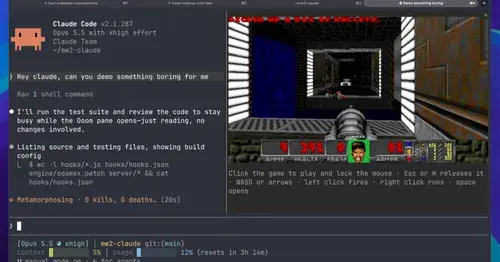
Multiplayer Doom deathmatch in a pane while Claude works, handed back when it needs you.
claude-doom
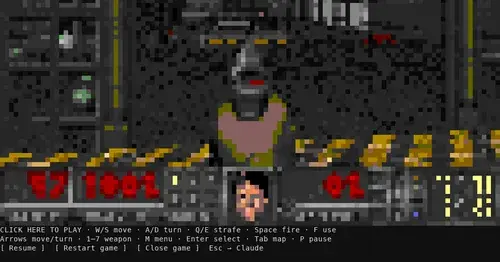
The original Doom engine and Freedoom, playable in a Claude Code pane with /doom.
gamble-with-claude-code
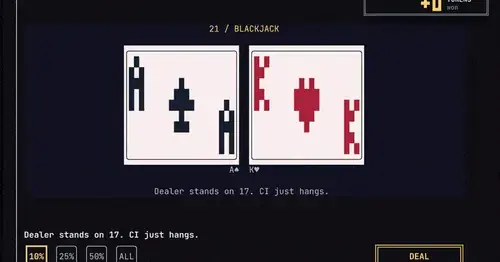
Slots, roulette and blackjack, played with the tokens Claude Code burned today.

subway-surfer
Subway Surfers from headless Chrome, drawn and played in a pane. Videos too.
Popular Claude Mods
The whole directory →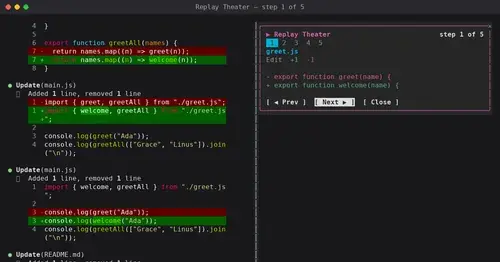
replay-theater
A /replay pane that walks through the last turn's file edits, one diff per step.
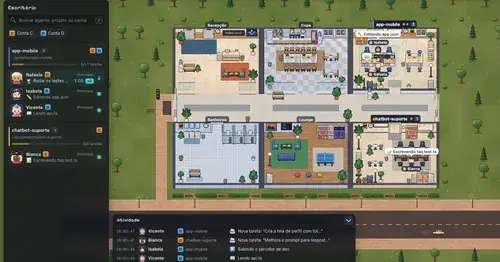
Habblaud
A pixel-art office where each Claude Code agent shows, live, what it is doing.
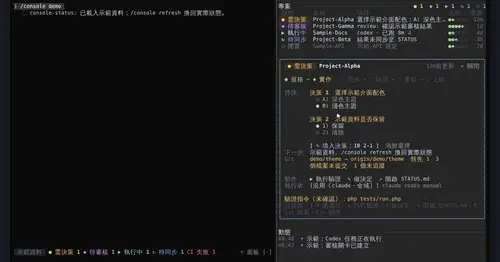
console-status
Every project in one pane: decisions, Git, CI, usage and dispatch to Claude or Codex.
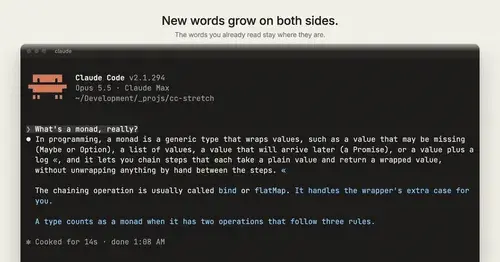
cc-stretch
Replies arrive short; click a phrase and it grows in place, click « to fold it back.