Interface·terminal·MIT OR Apache-2.0
parlar
Talk to Claude Code, idle or mid-task, and hear it answer out loud.
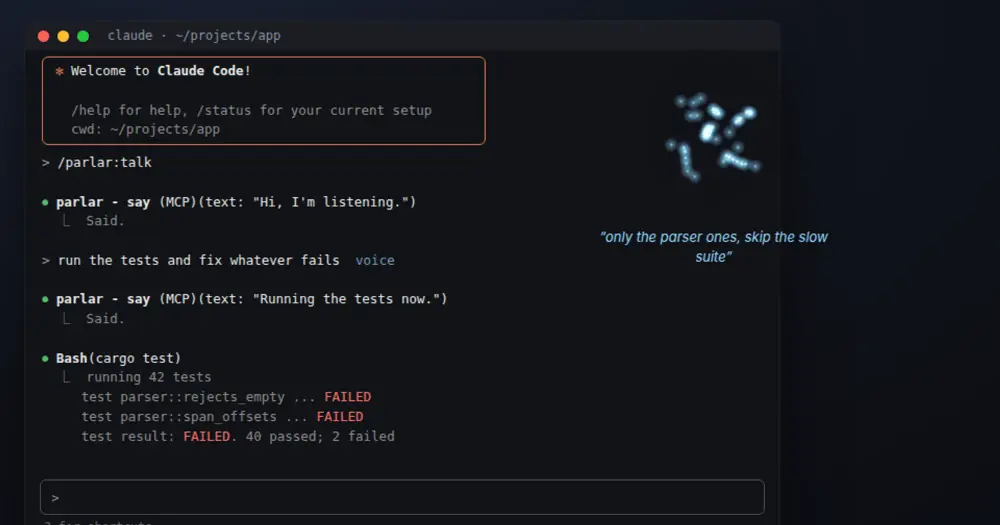
parlar is a voice conversation mode for Claude Code. You speak to a running session, idle or in the middle of a task, and it answers out loud in short sentences while tool calls, diffs and logs stay on screen as usual. Speech recognition and the voice run locally on your CPU; what you say reaches Claude as text, like a typed prompt.
The author’s demo is staged: it is drawn from a script, not captured. The swarm is the desktop indicator, outside Claude Code, and the demo does not show the strip above the prompt.
The same repository ships a Codex plugin, without idle wake: a new Codex session hears you only after its first turn. This page covers the Claude Code plugin.
What it does
- Hears you while Claude works. An idle session wakes when you speak. A busy one gets your words after its next tool call, so you can steer (“also update the tests”). Saying “stop” or “wait” blocks the next tool call.
- Waits for you to finish. Thinking pauses and fillers like “so…” do not end your turn. When you correct yourself, the last version wins. Talking over the voice cuts it off.
- Talks to one session at a time. Only the session you start with
/parlar:talk, or pick in the pane, hears you. Typing a prompt in another session moves the voice there, and a toast says where it went. - Draws a voice strip above the prompt while a conversation is on: the phase (ready, listening, working, speaking), a level meter, the last line heard or spoken, and buttons for talk here, mute, voice off, stop and the pane. After
ctrl+xandtabthe buttons take t, m, v, s and p. During a turn, when nobody is talking, the strip folds into Claude’s spinner line. A failed tool call flashes it red. - Writes the exchange into the transcript as blue “you ▸” and amber “parlar ▸” lines, on the row where each one happened.
/parlaropens a Voice pane with the whole conversation (the last 200 lines), the sessions you can talk to, and pickers for the mic and the speaker.- Joins spoken file names (“format dot rs”) into the names of the repo you work in.
- Speaks more than English. Set
languagein~/.config/parlar/config.tomlfor Spanish, French, Italian, Portuguese, German or Russian, then runparlard fetchand restart the service. Other languages need your own recognizer model or a voice program that reads text on stdin.
Outside Claude Code, parlar adds a floating indicator (a firefly swarm on GNOME Shell 50, blue for you and amber for the agent; parlar-overlay on Windows and macOS) and parlar status, a one-line output you can set as statusLine.command with refreshInterval: 1.
Install
Needs Claude Code 2.1.287 or later, Linux (x86_64 or aarch64) with PipeWire or Windows x86_64 (tested on Windows 11), a microphone and speakers, and about 800 MB of disk for the models. macOS on Apple silicon builds and runs on the author’s CI, but the mic, the speaker and Claude Code are untested on a real Mac.
claude plugin marketplace add agent-sh/parlar
claude plugin install parlar@parlar
The plugin is only the Claude Code side. Run /parlar:setup next: it checks your machine and installs what is missing, asking before each step that changes your system. Every route ends the same way: parlar and parlard on your PATH, the models downloaded once into $XDG_DATA_HOME/parlar, and parlard running as a user service.
To do that part yourself, the npm package downloads the release binaries for your machine and checks their sha256 (add --allow-scripts=@agent-sh/parlar if your npm blocks install scripts):
npm install -g @agent-sh/parlar
parlard fetch
parlard service
parlar setup claude
parlard fetch downloads libmoonshine and the models. parlard service installs a systemd user service on Linux, a Run key entry on Windows and a launchd agent on macOS. parlar setup claude lets the say tool speak without a permission prompt. The README also covers cargo install parlar parlard, prebuilt tarballs and scripts/install.sh from a clone.
Run /parlar:talk in the session you want and start speaking. /parlar:mute and /parlar:mute off mute the mic and keep the conversation on; /parlar:stop ends it and closes the mic.
How it works
parlar has three parts, and only the third is the mod.
parlard is a daemon. It owns the mic, the speaker, the models and which session has focus, and listens on a local socket ($XDG_RUNTIME_DIR/parlar/parlar.sock on Linux, a named pipe on Windows). Audio goes through echo cancellation, noise suppression and gain control (WebRTC AEC3, through the sonora crate), so a laptop mic works while the voice plays. Silero VAD marks speech; nothing is transcribed while nobody talks. At each pause Phonon-2 recognizes the turn so far, and word rules plus the Smart Turn model decide when you have finished. Kokoro speaks the reply one sentence at a time. Idle, parlard uses about 20 MB with the mic closed. The models load when a conversation starts, take about 1.4 GB of RAM, and unload two minutes after it stops. On the author’s laptop, recognition at the end of a turn takes 1 to 2 seconds on four cores, and speech starts within 0.3 to 0.5 seconds.
parlar is a light binary with two jobs: an MCP server whose say tool speaks a line, and the command hooks in hooks.json, which carry the conversation. While the session is idle, a background hook started at session start and after each turn waits for speech, then wakes Claude with “The user spoke to you by voice:” and your words. Mid-turn, the hook after each tool call adds what you said to the context. A spoken stop makes the hook before the next tool call refuse it. Claude replies by calling say with a short line. The hooks return in milliseconds and do nothing when parlard is not running.
The function-hooks module (strip.tsx and rows.tsx) only draws. In interactive sessions, session.start sets PARLAR_ROWS=1 so the command hooks leave the spoken lines to the module instead of printing them as hook messages, registers /parlar, and spawns parlar ctl watch, a long-running process that streams parlard’s phase, mic levels, captions, failed tools and notices as JSON lines. If parlard is down, the module retries the watch every 5 seconds. During a conversation it runs parlar ctl state every 2 seconds to check focus. The buttons run other parlar ctl subcommands. session.append reads the rows added to the main thread (voice wakes, tool results, hook context) to know which row carried which utterance; subagent rows are skipped. ui.render then draws the strip, the spinner buttons, the pane and the transcript lines, and hides the “Said.” result of each say call. prompt.submit only rechecks focus after your prompt goes through.
parlard fetch downloads these once, each pinned to a revision and checked by size and checksum. They keep their own licenses:
| Download | Job | Size | License |
|---|---|---|---|
| Phonon-2, ONNX int8 encoder | speech recognition (English) | 657 MB | CC-BY-4.0 |
| Kokoro-82M | voice | 104 MB | Apache-2.0 |
| Smart Turn v3.2 | end of turn | 8 MB | BSD-2-Clause |
| Silero VAD v6 | voice activity | 2 MB | MIT |
| libmoonshine 0.1.5 and ONNX Runtime 1.23 | runtime | 33 MB | MIT |
Other languages use the Parakeet TDT 0.6B v3 recognizer, and German and Russian a Piper voice; parlard fetch downloads only what your settings need.
Privacy and cost:
- Network. After
parlard fetch, parlar sends nothing over the network. Your words still go to the model as part of the conversation, like anything you type. - Disk. Audio stays in memory and is never written, unless you set
PARLAR_DUMP_TURNSfor debugging. The daemon’s log does record what it hears: on Linux,journalctl --user -u parlardshowshearing:lines. Settings live in~/.config/parlar/config.toml, and your mic and speaker choice is remembered. The spoken exchange is part of the session transcript (wake messages, hook context andsaycalls), which Claude Code saves like any other. - Tokens. Every utterance enters the context as text and every spoken reply is a tool call. The author keeps this small: spoken lines are short, and the plugin, not the agent, draws the transcript lines.
Limitations
- The author documents the strip and the pane in the terminal only. The module draws nothing in non-interactive sessions such as
claude -p. - A Bluetooth headset in high-quality playback mode (A2DP) has no mic. Use its hands-free mode or another mic.
- Hebrew is not supported yet. Japanese, Chinese and Hindi need an ONNX model directory you supply.
- The floating indicator on Linux needs GNOME Shell 50; other desktops work without it.
- Uninstalling the plugin leaves
parlard, the binaries and the models in place. The README’s Uninstall section lists the service and folders to remove.
Similar Claude Mods
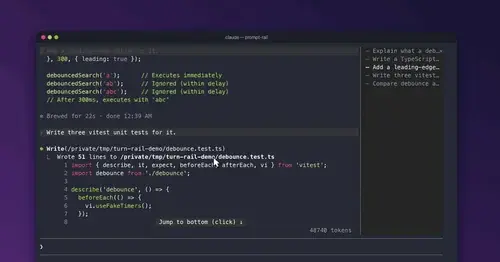
prompt-rail
Your session's prompts as a rail: hover to read one, click to jump back to it.

terminal-browser
A Chromium browser in a pane beside the transcript, for previews and agent browsing.
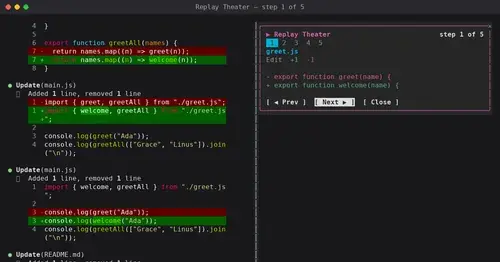
replay-theater
A /replay pane that walks through the last turn's file edits, one diff per step.
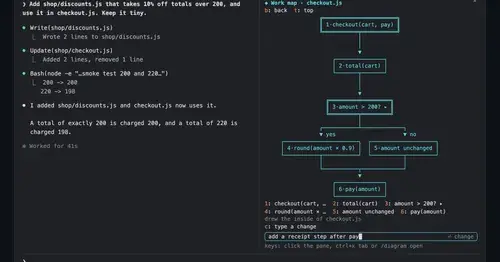
diagram-pane
Every diagram Claude draws, pinned in a side pane, plus a live map of the work.
Popular Claude Mods
The whole directory →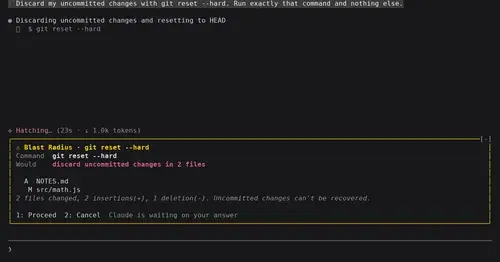
blast-radius
Shows what rm -rf or a force push would change and waits for Proceed or Cancel.
inbox
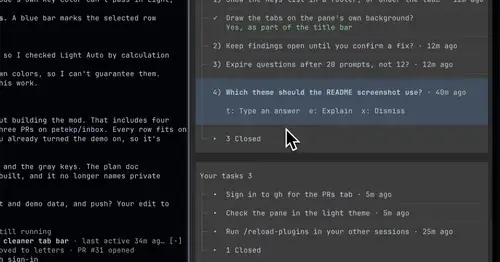
Claude's questions, your tasks, its findings and your PRs, sorted in one pane.
worktree-map
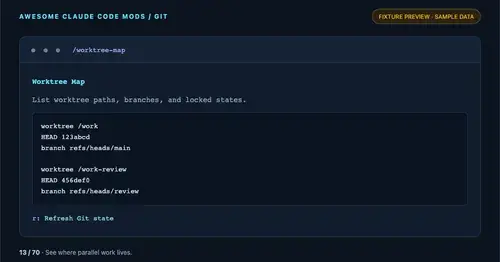
Every git worktree of the repo with its path, HEAD, branch and lock state, in a pane.
shunt
Shared account pool headroom and reset times from the shunt gateway, at zero token cost.