Interface·terminal·MIT
cc-mod-waitwhat
Buttons above the prompt retell the last reply in plain words. The model never sees it.
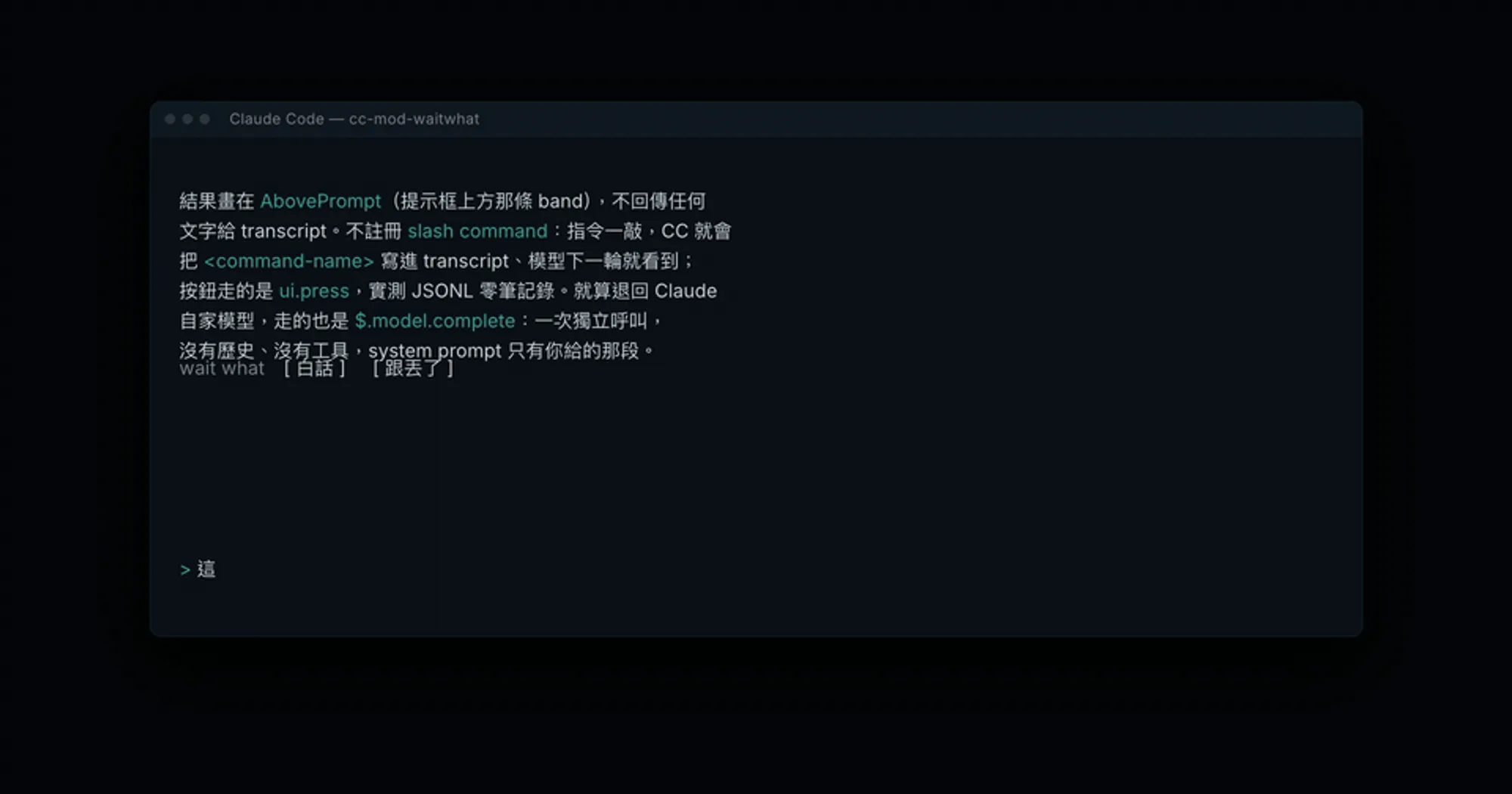
cc-mod-waitwhat puts two buttons above the Claude Code prompt. Press one and a model retells what Claude just said in plain words, drawn in the band above the prompt. The retell never enters the transcript, so Claude never sees it and the session’s context stays as it was.
It is the in-terminal version of the same author’s cc-sidecar-waitwhat, which reads the session’s JSONL file from a second terminal. The mod reads the conversation from inside Claude Code instead, and shares the sidecar’s environment variables, prompt files and cache.
What it does
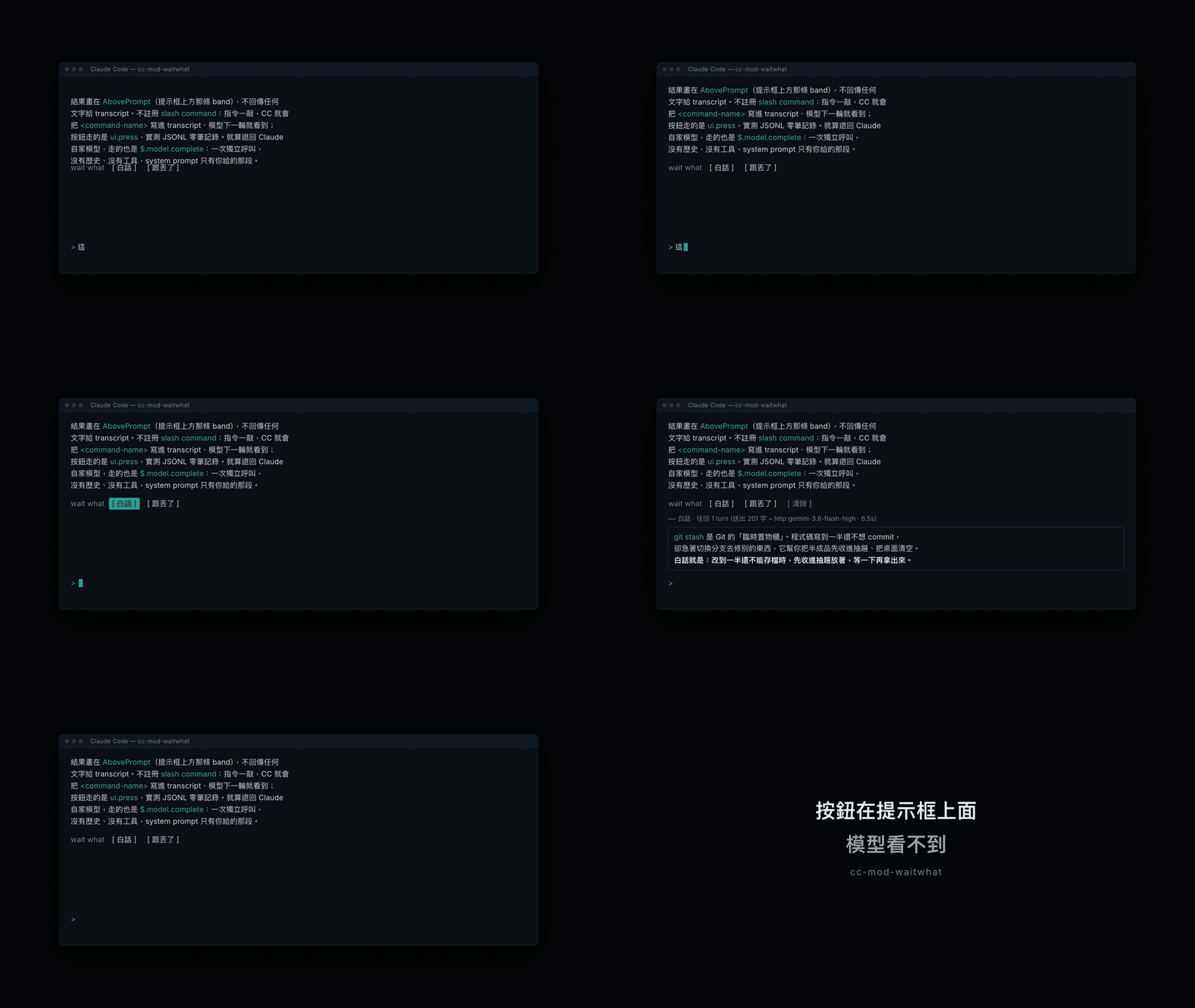
- 白話 (plain words) retells the last turn: your message plus everything Claude did in reply, tool calls included.
- 跟丟了 (lost the thread) retells the whole session from the start, conversation and tool calls, for when you fell behind several turns ago.
- 清除 (clear) hides the result. A dim line above the retell names the source that answered, how many characters went out and how long it took. When a source failed and the mod fell back to another, a second line gives the reason.
- Labels, status lines and the built-in prompts are in Traditional Chinese. The prompts tell the model to answer in the language of the conversation and can be replaced with your own; the labels cannot.
Install
Needs Claude Code 2.1.267 or later with function hooks enabled and an interactive terminal.
claude plugin marketplace add GGGODLIN/cc-mod-waitwhat
claude plugin install cc-mod-waitwhat@cc-mod-waitwhat
Start claude: the button row is already above the prompt. Click a button, or press ctrl+x tab to move focus into the band, choose with the arrow keys and press Enter; Esc returns to the input. ctrl+x ctrl+a collapses the band. Nothing else is needed for a first try, because the fallback source uses the session’s own model.
How it works
The module hooks ui.render for the AbovePrompt component and draws the buttons there. It registers no slash command on purpose: typing one writes its name into the transcript, and the model would read it on the next turn. A button press goes through ui.press, which the author checked leaves no record in the session’s JSONL.
On a press the hook calls $.session.messages(), keeps the last turn or the whole session, and flattens it into USER: and ASSISTANT: lines, each tool call clipped to 200 characters. That text goes, with a system prompt, to the first source in this chain that answers:
- cmd: a command named in
SIDECAR_CMD, run with$.process.run. The prompt arrives on stdin and the answer comes back on stdout, with a five-minute timeout. Arguments are split by shell rules but nothing goes through a shell, so no pipes or redirects. Skipped when the variable is unset. - http: a POST with
$.http.fetchto any endpoint that speaks the OpenAI/v1/chat/completionsformat.SIDECAR_PROXYsets the URL (defaulthttp://127.0.0.1:8317/v1/chat/completions, a local proxy),SIDECAR_MODELthe model (defaultgemini-3.8-flash-high) andSIDECAR_API_KEYthe bearer token. With no key set, the hook reads the first entry underapi-keysin~/.cli-proxy-api/config.yaml. - claude:
$.model.completeon the session’s own credentials, the model chosen byWW_MODEL(defaulthaiku). This is the fallback. It is one independent request with no history and no tools, so nothing enters the context, but it is a real model call on your account, capped at 1,500 output tokens.
SIDECAR_SOURCE=cmd or SIDECAR_SOURCE=http tries only that source before falling back to claude.
Whichever source answers receives the conversation text. With the defaults, the http attempt only reaches localhost; point SIDECAR_PROXY at a remote endpoint and the transcript leaves your machine.
Every answer is cached in ~/.cache/cc-sidecar-waitwhat.json, keyed by a SHA-256 of source, system prompt and payload, 200 entries at most with the oldest dropped. Pressing the same button on an unchanged conversation shows the stored retell at once, marked as a cache hit.
The two system prompts can be replaced with your own: ~/.config/cc-sidecar-waitwhat/plain.md for 白話 and wait-what.md in the same folder for 跟丟了. A non-empty file wins over the built-in prompt.
Limitations
- Terminal only. The desktop app and mobile have no band, and the hook steps aside on any other surface.
- One retell at a time: pressing a button while another is running does nothing.
More mods
The whole directory →
cc-changelog
The unofficial Claude Code changelog in a pane, plus nine tools the model can call.
claude --plugin-dir ./cc-changelog-pluginclaude-mermaid
Every mermaid block Claude writes, drawn as color box art in the transcript. Zero tokens.
claude plugin install claude-mermaid@claude-modsclaude-queue
Prompts typed with /q wait in a stack above the prompt and go out when the turn ends.
claude plugin install claude-queue@claude-queue-plugintime
A timestamp above each of your messages, showing when you sent it. Zero tokens.
claude plugin install time@claude-function-hooks