Dashboards·terminal·MIT
telltale
One cell per task above the prompt: your turn, subagents and background commands, live.
telltale draws a live status band for Claude Code: a strip of panels above the prompt, or docked to the right of the transcript when the terminal is wide enough, that polls, redraws and takes mouse clicks. The released build ships one panel, agents, with one cell per task in flight: your own turn, every subagent spawned with the Agent tool, and every background command. Each cell lists its steps (prompt, tool uses, reply) as they happen, and nothing it does reaches the model.
What it does
- Three task sources.
maincells for this session’s turns,subcells for subagents,bgcells forBashwithrun_in_background,MonitorandWorkflowcalls. - Three cell styles.
v1chains the steps horizontally for a wide, short band;v2lists them vertically in one frame;v4fits header and steps on one line. The default,auto, picksv2when the pane is docked andv1above the prompt. - Three sizes per panel.
summary,compactandfull. Click a panel title to cycle them, or use the buttons on theagentstitle row:[1 2 3]for the style,[S C F]for the size,[R B RB]for the edge and[x]to clear. A click on a cell expands or collapses it. - Orphan detection. A background cell silent for 30 minutes turns yellow. After 2 hours it becomes an orphan and stays until you click it or run
/telltale agents clear. /telltaleprints one line per panel and the band’s row usage./telltale agents on|off,/telltale agents style auto|v1|v2|v4,/telltale agents edge auto|right|bottom|bothand/telltale agents size summary|compact|fullset the rest.bothkeepsagentsin the pane and moves every other panel above the prompt.- Demo panels. With
TELLTALE_DEV=1set before launch,helloandclockregister too. They are scaffolding for panel authors, not features.
Install
Needs Claude Code 2.1.287 or later; the author tested on 2.1.274, the build that introduced the async $.clock.now() the module relies on, and declares no older minimum. Also an interactive terminal at least 20 columns wide, and a mouse if you want to click panels and cells.
claude plugin marketplace add ryu111/telltale
claude plugin install telltale@telltale
Restart Claude Code. The band appears on its own, above the prompt at first. telltale asks the engine for a pane and keeps drawing above the prompt until that pane’s own render reaches it; from then on everything moves into the pane, docked to the right on a wide terminal or boxed above the prompt on a narrow one. Some hosts open the pane and never render it, cmux among them, so the band simply stays above the prompt there. top and left are not positions the engine offers. Run /telltale to see which panels are on.
How it works
One plugin with several panels is a deliberate choice. Two plugins that both hook ui.render for the above-prompt slot fight over it, and the loser’s drawing vanishes without an error, so telltale owns that single hook and composes the panels itself. The cost, in the author’s words: adding a panel means a pull request to telltale, not a separate plugin.
The agents panel gets its data from the session itself. turn.start gives it the text of your prompt for the main cell’s label. turn.step gives it each tool use as it streams, labelled with the tool’s description or the first 40 characters of a Bash command, plus an agentId when the step belongs to a subagent. turn.complete closes the cell. session.receive here means the task-notification deliveries Claude Code sends this session when a background command, Task or Workflow finishes; telltale parses the quoted description out of that text to close the matching bg cell. A timer polls $.agent.list() to pair spawns with running subagents, and the Spinner render event tells it whether the model is thinking or responding. A workflow’s agents are not listed by the engine, so their cells complete after two idle minutes instead of on a status change.
Everything the panel knows lives in $.store, which Claude Code keeps on disk under ~/.claude/plugins/store/ as one JSON file per plugin: panel toggles, sizes, styles and the cells. Cells are keyed by session id, so two sessions of the same user keep their own, and cells left by sessions that ended more than a day ago are swept at session.start. A headless session (claude -p, the SDK, Claude Desktop) registers /telltale and touches nothing else. No network: the author’s claude plugin validate --strict output lists no $.http.fetch, and the module makes no such call. The observation hooks pass every event through unchanged, so the band adds nothing to the model’s context. Unlike cctop, which reports context fill and cost, telltale only tracks tasks.
Limitations
- Real-time only. No history and no replay: a cell that scrolls off, or a session that ends, is gone.
- Two positions, set by the engine: a pane docked right, or the band above the prompt. The band is at most 9 rows; below 20 columns it collapses to a single line.
- Matching by description. Two background commands running at once with the same description can close each other’s cell. Two subagents spawned at once with the same description can swap model labels.
- Shared settings. Panel on/off, style, edge and size apply to every session of your user, not per session. Only the cells are per session.
- The store survives uninstall. Reset it with
rm ~/.claude/plugins/store/telltale_*.json. - Dead zone. The rightmost 4 columns of every title row ignore clicks, because the engine’s own
[-]control sits there. Emoji may measure wrong. - Version mismatch. The README describes v0.2 while
plugin.jsonand the marketplace still report 0.1.0, after 29 commits since 17 September 2026. Draws only in interactive terminal sessions:claude -p, the SDK and Desktop get nothing.
Similar Claude Mods

herdr-hud
Name, kind and status of every Herdr agent above the prompt, refreshed every 2 seconds.
Super Sidebar
Agent tree, live status and the current request's work steps in one side pane.
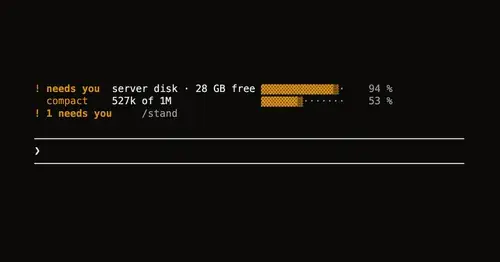
Leitstand
Disk space, context fill and blocked hooks above the prompt, only when they need you.
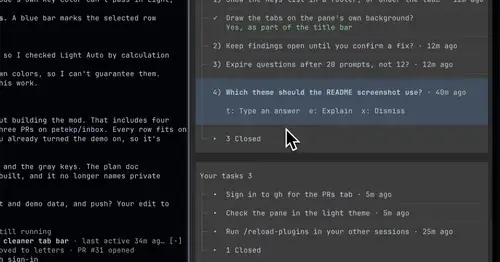
inbox
Claude's questions, your tasks, its findings and your PRs, sorted in one pane.
Popular Claude Mods
The whole directory →storybloq
A board of the tickets and issues kept in .story/, in a pane beside the transcript.
firstmate-calm
Hides tool rows and swaps the spinner for a sailboat. Toggle with /calm, zero tokens.
pii-guard
Reversible Taiwanese PII redaction for tool results, prompts and writes, all on loopback.
collision-guard
Asks before Claude edits a file another open chat just changed.