Dashboards·terminal·MIT
xcpane
Xcode build errors by file in a pane, and the same errors for Claude instead of the log.
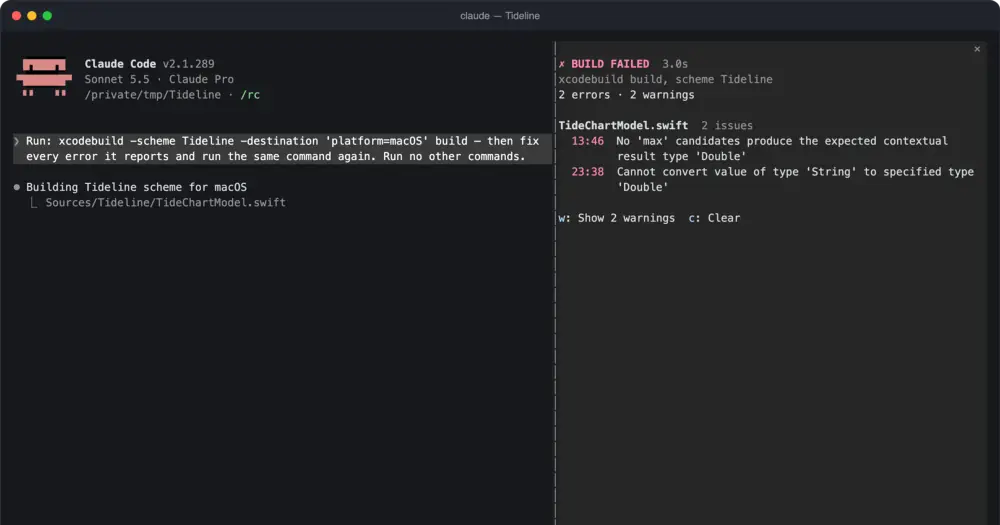
xcpane watches the xcodebuild, swift build and swift test commands Claude runs and does two things with the result: it lists the errors by file in a pane beside the conversation, and it replaces the build log Claude reads with the diagnostics. It is for anyone building Apple-platform apps with Claude Code on a Mac.
The reason is how Claude Code handles long output. When a Bash command fails with a lot of it, the model gets the start and the end, and a failing xcodebuild prints its compiler errors in the middle. In the author’s benchmark (Xcode 27.1, a five-file Swift package, three compile errors), Claude read 10,039 characters of a 295-line log and none of them was an error message; with xcpane it read 570 characters holding every error with its file, line and column. Over ten runs, eight of the results without the mod had no error in them.
What it does
- A summary for Claude. The tool result becomes the verdict and build time, each error as
file:line:column: error: message, the failed tests, line coverage, and how many warnings each file has. Your transcript keeps the raw output. - A tool for the rest. Warnings are counted, not listed, so the mod registers
mcp__xcpane__details, which returns every error, warning and failed test of the last build. The summary tells Claude it exists. It reads stored results and runs no build. - The pane. Errors grouped by file, failed tests with their assertion message, the three slowest tests, line coverage when the run collected it, a timer while the build runs, and the five builds before it.
wshows or hides warnings andcclears. - Status line and toast. A failure writes the scheme and its error count to the status line; a success shows a toast.
- A compact transcript row. The build’s row shows the verdict and its first three errors in place of the folded log.
- Builds through Xcode’s MCP server. When Claude builds or tests with Apple’s Xcode MCP tools (
BuildProject,RunAllTests,RunSomeTests), xcpane leaves the result as it is and only shows it in the pane, status line and toast.
xcpane needs no MCP server, which is the difference from xcode-mods: that one drives Xcode through the MCP server, turned on with sudo, while xcpane works on the builds Claude already runs in the shell. That matters on Macs without admin rights or where an organisation blocks unreviewed MCP servers.
Install
Needs Claude Code 2.1.287 or later, plus macOS with Xcode and its command line tools (xcodebuild, xcrun). Reading Xcode’s result bundle needs an xcresulttool with get build-results, which the author tested on Xcode 27.1; without it, xcpane reads the log instead.
claude plugin marketplace add griches/xcpane
claude plugin install xcpane@griches
Start a new session. There is nothing to switch on: ask Claude to build and the mod does the rest. The pane opens by itself when a build starts on terminals 144 columns or wider; on narrower ones, type /xcpane and it shows above the prompt. /xcpane clear forgets the builds.
Five options sit in /config: condense (rewrite what Claude reads), warnings (count or list), resultBundle (add the bundle flag), autoOpen (always, failure or never) and compactRow.
How it works
The mod hooks Claude’s Bash tool calls. It looks for xcodebuild, swift build or swift test at a command position; one inside quotes, a $(...) or a here-document does not count, and every other command passes through untouched.
For a lone xcodebuild that names no result bundle, it appends -resultBundlePath '<temporary folder>/xcpane/<id>.xcresult' before the command runs. When the build ends, it reads that bundle with xcrun xcresulttool (build results, test summary, test details) and xcrun xccov (line coverage), then deletes it with /bin/rm -rf. swift build and swift test have no bundle and are read from the log. If Claude Code saved a long output to a file of its own, xcpane reads that file to see the whole log. A build piped through tail, xcbeautify or xcpretty still gets its bundle read.
The swap happens when Claude Code stores the tool result: xcpane replaces it with the summary, which ends with a note saying whether it came from the bundle or the log and how many log lines it left out. It only does this when the build succeeded or produced errors or failed tests, and when the summary is shorter than the original. A line that also prints something else, such as xcodebuild build && cat config.json, keeps its whole output.
For builds through Xcode’s MCP server, it calls the same server’s GetBuildLog for the warnings, because BuildProject returns errors only. It changes nothing in those calls.
It keeps the last 20 builds for the session and nothing between sessions. It makes no network requests and calls no model.
The added flag has one side effect on permissions: an allow rule such as Bash(xcodebuild:*) still matches, but a rule for one exact command no longer does, and Claude Code asks. Set resultBundle to false to leave commands as Claude wrote them.
Limitations
- Only builds Claude runs through the Bash tool are seen. Builds you start in Xcode are not.
- A build inside a script,
make,fastlane,bash -cor$(...), or one run in the background, is not recognised. - A command with several
xcodebuildcalls is read from its log only. - When a failing build yields no diagnostics, Claude reads the raw log unchanged, and the pane says so.
- A long failing
swift buildlog that Claude Code cuts in the middle can still lose its errors. - In the fullscreen layout, Claude Code folds shell commands into one line and the compact row is not drawn.
- It works only inside Claude Code. For other agents or CI, the author points to xcsift.
- The author documents it in the terminal only. Mod events and methods can change between Claude Code versions.
Similar Claude Mods

context-lens
Window fill, growth per turn and turns left before compaction, pinned under the prompt.
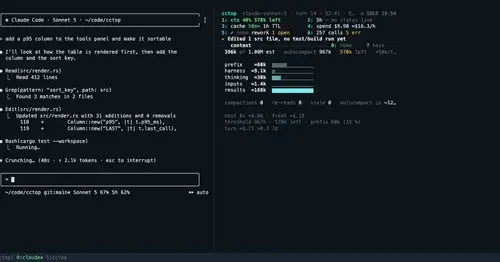
cctop
Context, cost, rate limits and tool stats of the session, live in a side pane.
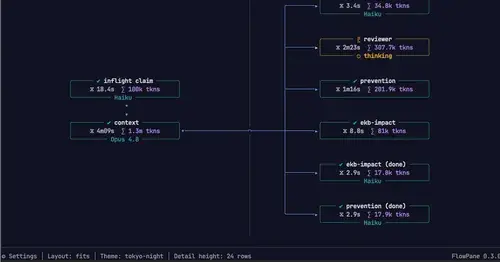
flowpane
A live graph or timeline of a Workflow run, one node per agent, beside the transcript.
linear
Your Linear projects and issues in a pane. One button turns an issue into a prompt.
Popular Claude Mods
The whole directory →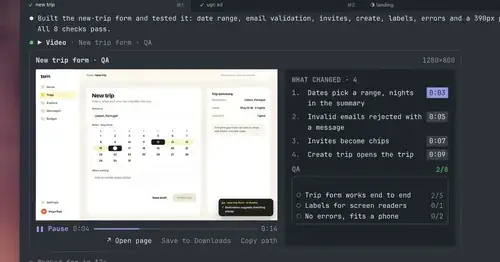
show-your-work
Claude shows screenshots and recorded Playwright runs in the chat, with before/after QA.
storybloq
A board of the tickets and issues kept in .story/, in a pane beside the transcript.
savvy-progress
Running, finished and planned subagents with model, context, cost and time, in one panel.
pii-guard
Reversible Taiwanese PII redaction for tool results, prompts and writes, all on loopback.